Back to all posts
Product

Tags now available in Capsule app

Learn more about how you can now include tags on your contacts, cases and opportunities in the Capsule Mobile app.

Dom Briggs · January 24, 2014

We’ve released an update to Capsule app to include tags on your contacts, cases and opportunities. You can now filter records based on one or more tags using the new filter icon on each of the list pages.

Use the funnel icon on the contact list for example and tap the tags you want to filter for. To clear the tag filter just click the little ‘x’ next to the tag filter in the list.

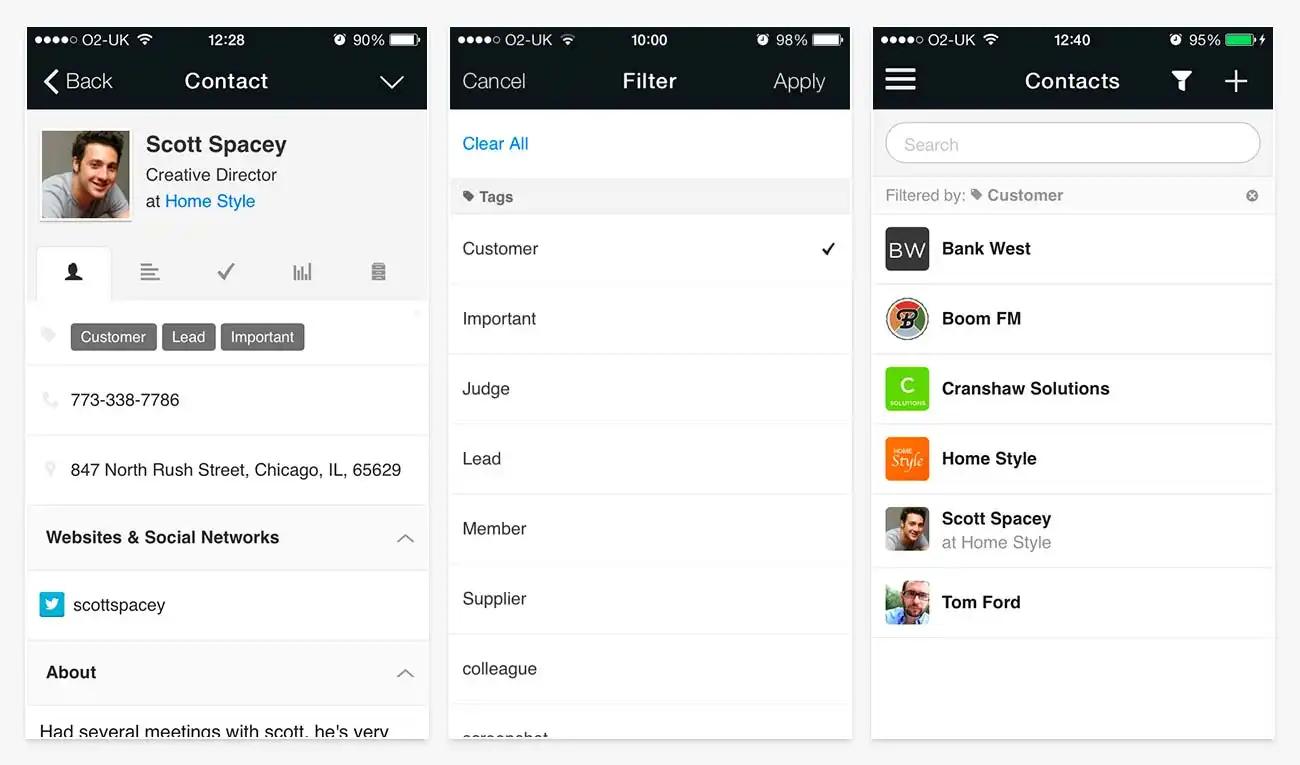
Tags screenshot

What to read next

Introducing AI Meeting Prep: your briefing for every call

Introducing AI Meeting Prep: your briefing for every call

Stop waiting on a developer for your next form: introducing Forms

Stop waiting on a developer for your next form: introducing Forms

What if you could just ask your CRM? Introducing Capsule MCP

What if you could just ask your CRM? Introducing Capsule MCP

4 Signs You've Outgrown a Single Sales Pipeline

4 Signs You've Outgrown a Single Sales Pipeline