
Lead management decides how many new leads turn into paying customers. Capture interest, track behavior, score intent, then nurture prospects across the sales funnel until conversion. Miss one step and the sales pipeline leaks.
In this guide, you’ll see our picks for the best CRM software for lead management, with clear use cases for sales teams, from small businesses to complex CRM platforms that manage the entire sales process.
How to choose a CRM for lead management
Not every CRM system handles leads well. Some focus on contact storage, others on reporting, while a solid lead management system supports the full journey from first touch to deal close. Before picking a tool, it helps to look at how leads actually move through your sales cycle:
- Start with lead capture. A good CRM solution collects leads from web forms, landing pages, email campaigns, social media platforms, and targeted ad campaigns. If leads arrive manually or live in inboxes, sales reps lose momentum.
- Next comes lead tracking and scoring. Your CRM software should track lead sources, website visits, email opens, and customer interactions. Lead scoring helps sales agents spot hot leads and prioritize the most qualified leads instead of guessing.
- Then look at pipeline management. Clear sales pipeline stages, visual deal flow, and simple sales pipeline management help teams understand where each lead sits in the process.
- Finally, think about scale and usability. An intuitive interface, access to customer data, light marketing automation, and room for more advanced features later all matter. The right lead management software should support daily sales efforts today and still work when volume, deal size, and expectations grow.
Choose a CRM that mirrors how your team actually works with leads, not one that forces extra steps or workarounds into your sales process.
Best lead management software for 2026
Choosing the best lead management software in 2026 comes down to how well a CRM helps teams capture, qualify, and move leads through the sales pipeline without friction. The tools below stand out because they support real lead workflows.
Capsule CRM
Capsule CRM is a cloud-based customer relationship management (CRM) tool built to help small and medium teams organize contacts and keep deals moving without unnecessary complexity. It’s known for a clean, intuitive interface that makes getting started fast and simple.
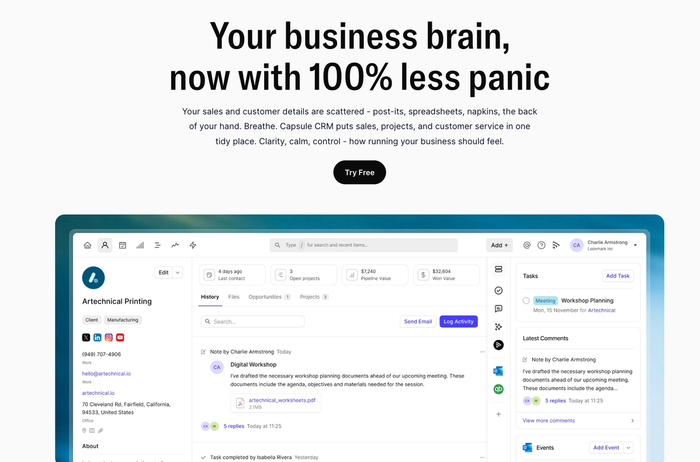
Capsule centralizes customer data so you never lose track of interactions or attachments. Its pipeline view gives your team a clear picture of where every opportunity stands at a glance.
Key features for lead management
- Contact organization: Each lead record holds prospect data in one place, giving sales reps full context before outreach. Notes and files stay tied to the lead across the sales cycle.
- Sales pipeline tracking: Leads move through defined stages, which makes stalled opportunities easy to spot early. Teams gain a shared view of pipeline health without manual reporting.
- Custom fields and tags: Lead records adapt to your qualification logic, reflecting real buying signals. This helps separate high-intent prospects from early-stage interest.
- Task and activity logging: Follow-ups stay attached to the lead, even when ownership changes. Activity history keeps outreach consistent across sales handovers.
- Lightweight automation: Reminders and triggers reduce manual chasing and keep leads moving forward. Automation supports routine steps without locking teams into rigid workflows.

Integrations
For effective lead management, it’s great to have lots of connections between tools, because leads can come from many sources and need data to flow smoothly as they move through the pipeline. Capsule supports native links to Gmail, Outlook, Mailchimp, Xero, and QuickBooks, letting you sync email history, calendar events, campaign activity, and even invoicing data with your CRM records.
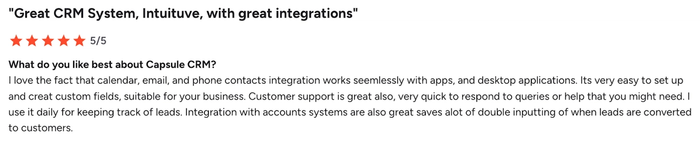
Beyond the built-in options, Capsule works with integration platforms like Zapier and Make that open the door to thousands of apps. With those, you can capture new leads from form builders and ad platforms, push fresh contacts into marketing tools, and send deal alerts into team chat without writing code.
Pricing:
- Free plan: Basic CRM with up to 250 contacts and two users.
- Starter: From ~$14 per user per month with essential lead and pipeline tools.
- Growth: Around ~$36 per user per month with enhanced customization.
- Advanced & Ultimate: Higher tiers (~$54–$72) with additional flexibility and support options.
Test Capsule CRM’s free forever plan for up to two users and 250 contacts, then start a 14-day trial of the paid tiers to explore its full lead management features before you decide.

HubSpot smart CRM
HubSpot smart CRM is a customer platform built to help teams track and nurture leads through the entire sales funnel with tools for scoring, engagement tracking, and pipeline visibility.
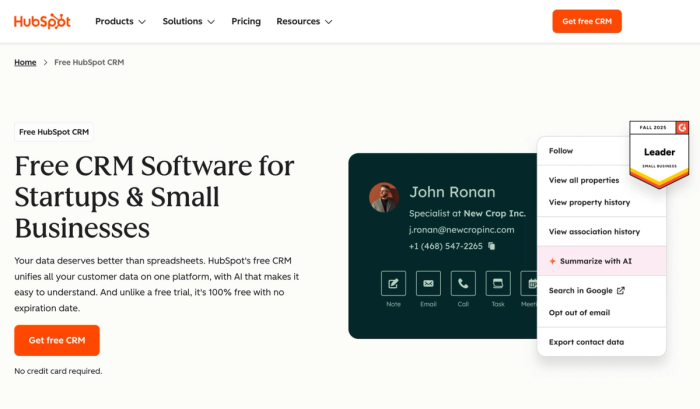
It starts with a free CRM that supports unlimited users and tons of contacts, and it scales into paid plans when you need advanced sales and marketing capabilities.
Pros for lead management
- Generous free tier: You can centralize contact and lead records without paying, which gives small sales teams a solid foundation to begin tracking and organizing prospects.
- Built-in lead scoring: HubSpot can assign and show lead scores based on actions and fit, helping teams prioritize focus on promising prospects.
- Pipeline visibility: Visual deal boards and activity timelines show where leads are in the sales cycle, which helps sales reps plan next moves.
Cons for lead management
- Advanced scoring behind paywalls: Predictive and more powerful scoring typically requires Professional or Enterprise plans, adding cost for deeper insights.
- Price jumps with scale: Once you need richer automation or broader integrations, expenses rise quickly compared with entry-level tiers.
- Inbound emphasis: Hubspot's lead management tools more naturally track leads who engage with content, which can feel restrictive if your team sources prospects in other ways.
Pricing:
HubSpot’s free CRM never expires and includes essential lead tracking features. Paid tiers of Sales Hub begin with Starter bundles at roughly $20 per month for basic sales and marketing capabilities, while Professional and Enterprise plans add advanced automation and analytics at higher price points.
HubSpot CRM delivers capable lead capture and scoring grounded in a widely used platform, but for teams focused on simplicity and lower total cost, Capsule CRM’s streamlined lead workflows can feel more direct and easier to adopt.
monday CRM
Monday CRM is a flexible lead management tool built on the monday.com platform that lets teams collect, organize, and score leads using customizable boards and workflows. It focuses on visual pipeline views and adaptable pipelines rather than forcing a fixed structure.
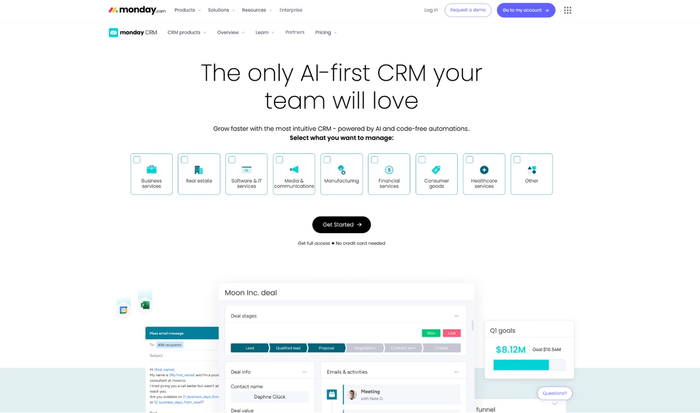
It can gather leads from various sources into a central board where reps group prospects as new, qualified, or disqualified, helping teams treat lead progression as a live workflow.
Pros for lead management
- Visual pipelines: Leads appear in drag-and-drop boards, making it easier to see where each contact stands in your sales pipeline.
- Lead scoring and prioritization: Built-in scoring lets teams highlight higher-potential prospects without guessing.
- Custom automations: You can trigger follow-up actions based on lead behaviour or stage changes, reducing manual work.
Cons for lead management
- Minimum seat requirements: Plans often start at three users, which can make it pricey for very small teams.
- Advanced features behind higher tiers: Complex scoring, reporting, and automations often require upgrading beyond entry levels.
- Can feel complex at first: The platform’s flexibility means learning how to shape boards and workflows takes time.
Pricing:
Monday CRM offers a free plan for up to two users with basic contact and deal tracking. Paid tiers start around $15 per user per month with pipeline tools, with higher levels adding automation, analytics, and integrations. Plans are billed annually and require at least three seats on paid tiers.
For organizations that require the freedom to adapt their CRM to shifting marketing tactics, monday CRM is the superior choice, whereas Capsule CRM is ideal for those who value a quick launch and approach to managing their daily sales pipeline.
Salesforce CRM
Salesforce CRM, anchored by Sales Cloud, is a leading customer relationship management (CRM) platform built to help sales teams capture, track, assign, and convert leads across the full sales cycle. Its lead management capabilities combine structured processes with deep customization to support complex sales environments.
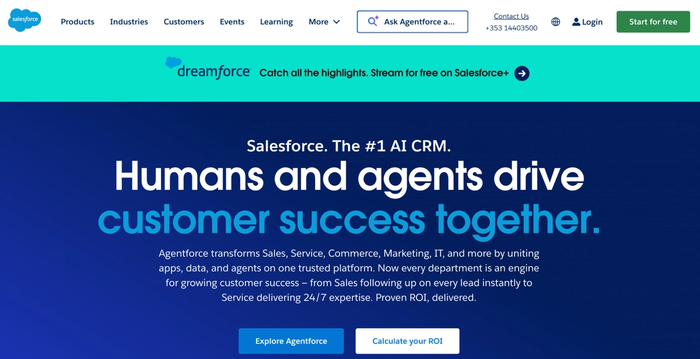
Salesforce lets teams build lead-to-customer journeys by capturing interactions from web forms, emails, and campaigns into a central system designed to nurture prospects until they’re ready to buy.
Pros for lead management
- Lead scoring: Salesforce can assign and display lead scores based on engagement and behavior, helping reps focus outreach on high-potential leads.
- Lead assignment rules: You can automatically route leads to the right sales rep based on criteria like territory or interest, which speeds response times.
- Comprehensive tracking: Lead views and dashboards let teams monitor status, source, and activity without switching to other lead management tools.
Cons for lead management
- Complex setup: Tailoring Salesforce to match unique lead workflows often takes more time and expertise than simpler CRM options.
- Costly at scale: License fees increase steeply as you add advanced automation and analytics capabilities to support lead generation workflows.
- Overkill for small teams: Smaller or early-stage sales teams may find the feature breadth unnecessary and setup burdensome.
Pricing:
Salesforce Sales Cloud pricing starts around $25 per user per month for basic CRM with essential lead tracking and pipeline tools, and rises significantly for Professional, Enterprise, and Unlimited editions with richer automation and customization.
Salesforce CRM shines in companies that need deep lead scoring, routing, and insights across multiple teams, but for straightforward lead workflows and faster onboarding, Capsule CRM often feels leaner and easier to manage.
Zoho CRM
Zoho CRM is a lead management system designed to help teams capture, track, score, and nurture leads through a customizable pipeline that fits their unique sales process. It balances core CRM workflows with automation and analytics to support businesses of different sizes.
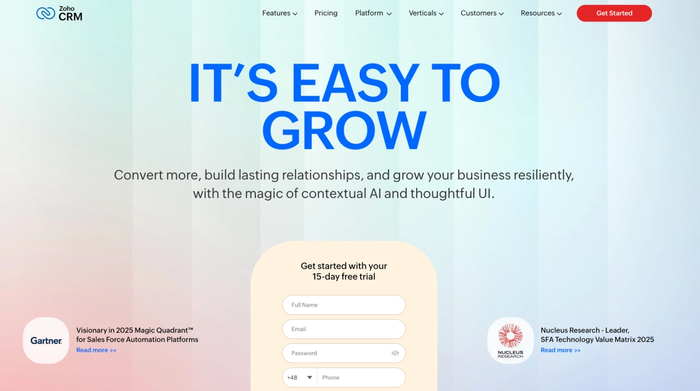
It centralizes lead data and interaction history so teams can monitor prospect behavior and move opportunities forward with more insight.
Pros for lead management
- Flexible pipeline customization: You can tailor pipeline stages and lead fields to match your lead management process rather than adapting your process to the software.
- Automated workflows: Built-in workflow rules help reduce repetitive tasks like lead assignment and follow-up reminders.
- Lead scoring and prioritization: The system supports scoring that reflects engagement and behavior, helping sales reps decide which leads to contact first.
Cons for lead management
- Free tier limits: The free plan supports up to three users but restricts automation and advanced scoring features.
- Feature gaps at lower levels: Some useful analytics and reporting tools only become available on higher-tier plans.
- Setup complexity for custom workflows: Designing deeper automations and detailed scoring can take time to configure well.
Pricing:
Zoho CRM’s free plan supports up to three users with basic lead and contact tracking.
Paid plans start around $14 per user per month for standard features, with higher tiers adding automation, AI tools, and deeper customization.
Teams needing granular control over lead stages will appreciate Zoho’s flexibility, but those seeking a clutter-free, 'get-started-today' experience will find Capsule CRM far more approachable and user-friendly
Copper CRM
Copper CRM is a lead management CRM built to make tracking and nurturing leads feel natural for teams, especially those already working inside Google Workspace. It emphasizes speed and a familiar environment for sales reps.
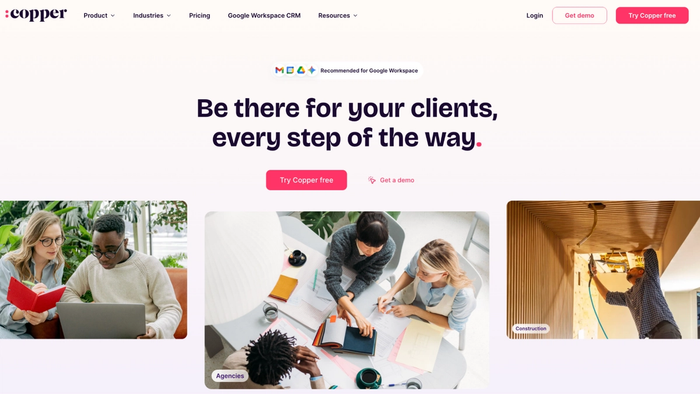
Leads in Copper are organized alongside emails and calendar events, which keeps interactions with potential customers visible without extra steps.
Pros for lead management
- Google Workspace integration: Copper syncs Gmail and Calendar data directly into lead records.
- Visual pipelines: Drag-and-drop pipeline boards let teams manage leads as well as see where each lead sits and what needs to happen next.
- Workflow automation: Rules can create tasks and update fields automatically, which helps keep follow-ups consistent.
Cons for lead management
- No free tier: There’s no permanently free plan, so you must choose a paid plan after the free trial ends.
- Google-centric: Users outside Google Workspace may find fewer native integrations and a steeper setup for other stacks.
- Feature gaps at lower tiers: Basic plans limit automation and reporting compared with higher levels, which can slow deeper lead analysis.
Pricing:
Copper CRM starts with plans around $12 per user per month (billed annually) on the Starter tier and scales up through Basic, Professional, and Business plans, each adding more contacts, automation, and reporting.
Copper CRM makes lead tracking feel easy, especially if your team lives in Gmail, but compared with Capsule CRM, its workflow focus and broader CRM simplicity may feel more directly aligned with straightforward lead management processes.
Agile CRM
Agile CRM is an all-in-one lead management platform that brings together CRM, lead generation, contact tracking, email marketing, and sales automation in a single system built for small and mid-sized teams. It includes tools that help capture new leads from forms and social engagement and then nurture those contacts through automated communication and scoring.
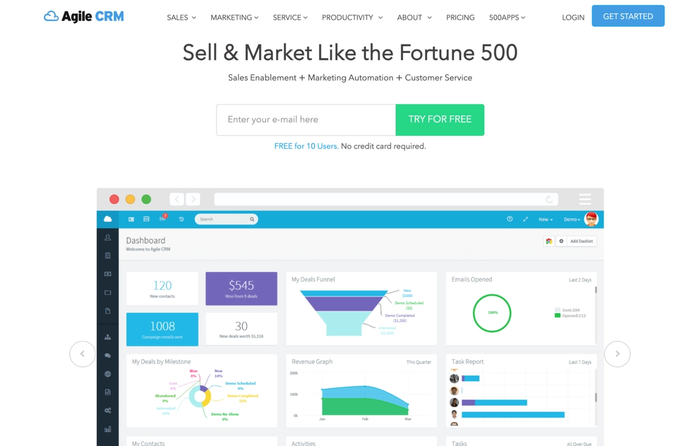
With Agile CRM, you can unify contact management with outreach and lead nurturing, which helps teams convert first visits into qualified opportunities without switching between apps.
Pros for lead management
- Lead capture and forms: You can embed web forms and landing pages that feed new leads directly into the CRM database.
- Email automation: Built-in email marketing and drip sequences help you nurture leads with timely content and follow-ups.
- Social engagement tracking: Agile CRM tracks interactions from social media channels and logs them on contact profiles, giving insight into customer behavior.
Cons for lead management
- Automation complexity: Setting up advanced automation flows can be less intuitive compared with simpler CRM interfaces.
- Reporting limitations: Analytics for high-quality leads and conversion data are not as deep as in enterprise CRM solutions.
- Scalability constraints: Larger organizations may outgrow the platform’s feature set without moving to add-ons.
Pricing:
Agile CRM typically offers a free tier with basic CRM and lead capture features. Paid plans start with more automation, scoring, and campaign tools at modest monthly rates per user.
Agile CRM gives teams tools to generate leads and nurture prospects with automation and email workflows, but if you need deep pipeline focus and simpler onboarding, Capsule CRM’s lean approach often feels more direct for core lead management.
Checklist: How to pick the best CRM for the lead management process
Here’s a short, practical checklist for picking the best tool for lead management:
Lead capture & generation
- Can it turn website visitors into tracked leads without manual steps?
- Does it help you capture lead visits and prospect data automatically?
Lead nurturing & communication
- Does it include email marketing software or easy integration with your campaigns?
- Can you deliver personalized follow-ups that help boost conversion rates?
Automation & productivity
- Does the tool include robust automation for routine tasks and reminders?
- Will automation help enhance productivity across your sales and marketing teams?
Insights & prioritization
- Can you gain insights into lead behavior and engagement patterns?
- Does it help you focus on potential clients most likely to convert?
Outcome orientation
- Will it help generate more leads and support your team in closing more deals?
- Does it adapt as your process matures and lead volume grows?
Use this checklist when evaluating CRMs to make sure your choice supports not just tracking leads, but moving them efficiently toward conversion.
Conclusion
Choosing the right lead management tool comes down to clarity, follow-ups, and how easily your team can move prospects toward a decision. Many CRMs promise more leads, but only a few stay practical once real sales work starts. If you want a focused system that keeps lead workflows simple and effective, Capsule CRM is a strong next step.