If you run a small business, you've probably been asked a version of this question: "How are we doing?"
And you know the answer is in there somewhere: in your CRM, in a spreadsheet, maybe in a report you exported last Tuesday. But pulling it all together into something you can actually act on? That's the part that takes time you don't have.
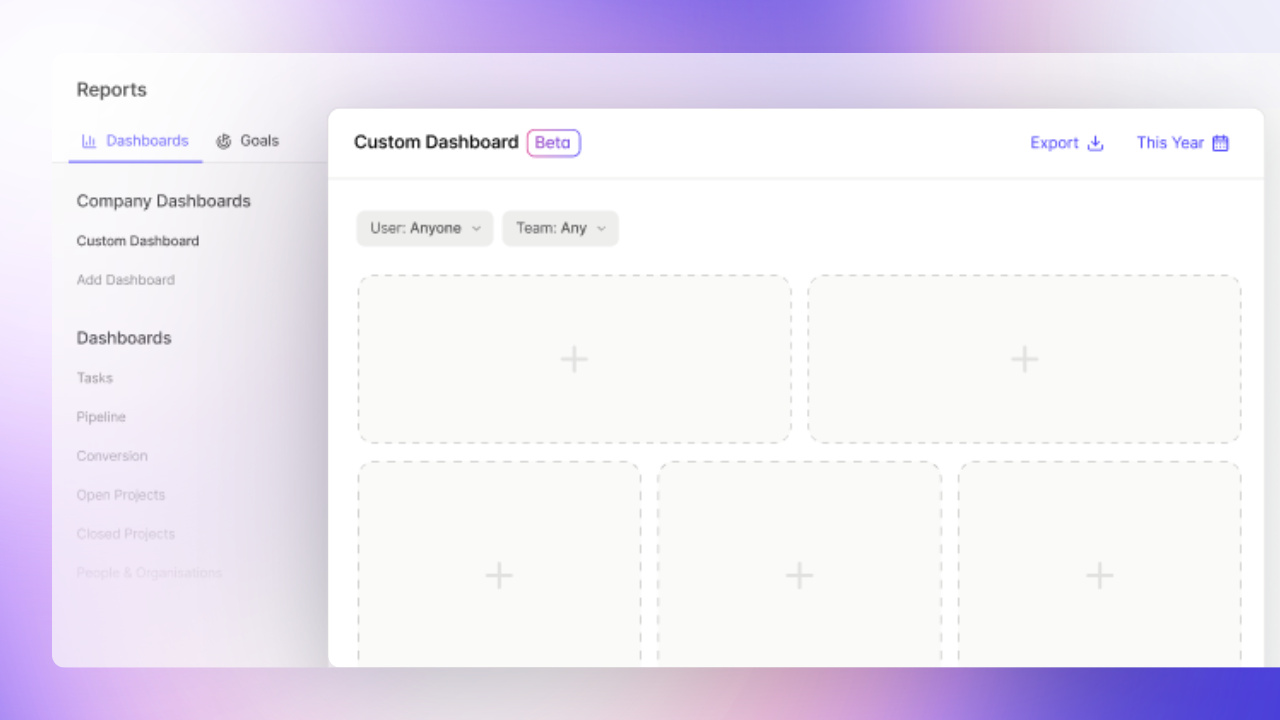
Build Your Own Dashboard changes that. It lets you bring your most important reports into one clear, real-time view. It’s tailored to your business, your team, and the metrics that actually matter to you.
You can skip the old hide-and-seek game with your data: get the insights you need in one bespoke view.
What is Build Your Own Dashboard?
Build Your Own Dashboard gives you a simple way to organize your reports into a view that works for you.
You can pull together different charts – like sales performance, project progress, or task activity – into one dashboard, so everything you need is visible at a glance. Each dashboard can be tailored to a specific goal, team, or area of your business.
Find the metrics that matter most
For many small businesses, reporting gradually becomes a mess you learn to live with. Sales data in one place. Project updates in another. A spreadsheet that someone built 18 months ago that everyone's slightly afraid to touch.
When you try to pull it together in a third-party tool like Looker Studio, you're suddenly a data engineer. You're mapping fields, learning a new interface, and quietly wondering whether what you've built is even showing you the right thing.
With Capsule CRM, you can build your dashboard directly where your data already lives — no exports, no integrations, no second-guessing.
Choose from a library of report widgets and create a view tailored to your business, whether you want a high-level overview or something more granular.
Here are just a few of the reports you can add:
| Report | Capsule CRM system dashboard |
|---|---|
Average Opportunity Duration | From the Conversion Dashboard |
Activity by Type (as a chart or table) | From the Activity Overview |
Open Opportunities by Tag | From the Pipeline Dashboard |
Projects by Owner | From the Open Projects Dashboard |
Task Count by User | From the Tasks Overview |
But that’s just the start - there’s dozens more to choose from. So you can build a dashboard that perfectly reflects your key metrics.
From data overload to clear direction
Having access to data isn't the problem. The problem is when it takes 45 minutes to answer a question someone asked in passing.
When you're wading through too many reports or metrics that don't apply to you, it's hard to see what's actually happening — let alone what to do about it. With a custom dashboard, you cut straight to what matters.
Track your opportunities, projects, contacts, and tasks in a way that reflects how your business actually works. Spot a slowdown in your pipeline before it becomes a crisis. See which team members are overloaded before deadlines start slipping.
Instead of asking "what's happening?", you can start asking "what should we do next?"
Keep your team aligned without chasing updates
How much time do you spend each week just keeping people informed? Pulling numbers for a manager. Writing up a summary before a meeting. Answering the same question for the third time this month.
When data isn't visible, it creates real friction:
- Teams depend on one person to surface information
- Decisions stall because nobody's sure of the numbers
- Accountability becomes harder to hold onto
Shared dashboards fix this. When everyone's looking at the same real-time metrics, the conversation shifts. You spend less time on updates and more time on decisions. That means:
- Fewer ad-hoc requests
- More productive conversations
- A team that’s aligned around the same goals.
It’s sounding better and better by the minute.

What could your dashboard look like?
One of the biggest advantages of building your own dashboard is flexibility. You can tailor it to your structure, your goals, and your team.
Here are a few ways businesses are already using dashboards in Capsule CRM:
Track performance in each region
If you sell across regions like the US, LATAM, and EMEA, you can create separate dashboards for each market.
For example:
- Pipeline value by region
- Opportunities won vs. lost
- Conversion rates per team
- Average deal size
This makes it easy to compare performance, spot regional trends, and understand where growth is happening without chasing updates from different teams.
Manage sales team performance
Sales managers can build dashboards focused on team activity and results.
You might track:
- Deals created and won per rep
- Conversion rates by stage
- Activity levels across the team
- Pipeline coverage vs. targets
So you can quickly see who’s thriving, where deals are getting stuck, and where support is needed.
Keep projects and tasks on track
For operations or delivery teams, dashboards can provide a clear view of progress and accountability.
For example:
- Projects by status (on track, at risk, delayed)
- Tasks completed vs. overdue
- Workload across team members
This helps you stay ahead of issues and ensure nothing falls through the cracks.
Get a high-level view of your business
If you’re a business owner, you probably don’t need every detail: just the right signals.
Your dashboard might include:
- Revenue vs. target
- Sales pipeline value
- Conversion rates
- Active projects or customers
So you can check the health of your business in minutes, without digging through reports.
Build your own dashboard in moments
Getting started is simple:
- Create a new dashboard
- Add widgets from the report library
- Arrange and customize your layout
And hey presto! You’ve got a dashboard that works the way you do.
Clarity without complexity
When your data is scattered, it slows everything down. Decisions get made on instinct rather than data. Teams move in different directions. Small problems stay hidden until they're not small anymore.
Build Your Own Dashboard doesn't ask you to become a data person. It meets you where you are, inside the CRM you're already using, and gives you the visibility to move your business forward with confidence.
Frequently Asked Questions
You can add any chart, graph, or counter readily available from your dashboards, mixing and matching from your Pipeline, Tasks, and Projects dashboards. So you can see everything you need to see in one neat space.
You can build your own dashboard in Capsule CRM on the Growth, Advanced, and Ultimate plans. You can create five custom dashboards on the Growth plan, 10 with Advanced, and 20 on the Ultimate plan.
You can split your dashboard into multiple rows and sections, arranging your layout either top-to-bottom or side-by-side. You can adjust the height of rows to fit more into view, or stick with the default. Whatever works best for you.
While there's no hard cap, we'd recommend keeping it to around eight widgets per dashboard. Too many charts in one view can slow things down, and honestly, a focused dashboard is a more useful one.
Any user can create and view custom dashboards. It’s worth noting that the data you see in each chart will reflect only the records you have access to. So, different users may see different numbers depending on their permissions.
You can create multiple dashboards, but the limit depends on your plan. You can build up to five custom dashboards with the Growth plan, 10 custom dashboards with the advanced plan, and 20 on the Ultimate plan.