Most CRM advice assumes you have a sales team, but for a lot of small businesses, you are the sales team.
That changes what you need from a CRM entirely.
Here's what simple actually looks like when it's just you, and which tools are worth your time.
When you're doing it alone, the CRM stakes are different
In larger businesses, CRMs typically fail for the same reason. The tool gets implemented, half the team ignores it, and the sales manager spends three months trying to get adoption up. That's a management problem with a management solution.
When you're running a small business alone or with one or two other people, failure looks different. There's no team to carry the system when it gets complicated. If the CRM becomes a burden, it often gets abandoned entirely. And when that happens, all your customer data, communication history, and follow-up context go back to living across your inbox or notebook.
The stakes of choosing badly are higher for solo operators and small businesses, not lower. A simple CRM for a small business is the correct strategic choice for someone who needs a tool that works with their day rather than demanding a dedicated part of it.
That means the criteria are different, too. You're not evaluating whether the CRM can support a team of twenty sales reps with complex pipeline management across multiple territories. You're asking whether it will still be open on your laptop in three months, whether it takes thirty seconds or three minutes to log a call, and whether it actually surfaces the right information before a client conversation.
Simple, in other words, is about less friction.
What "simple" actually looks like in daily use
It's easy to evaluate a CRM in a demo and come away thinking it's straightforward. Demos are designed that way. The real test is what the tool feels like at 8 am when you have a client call in twenty minutes and need context fast, or on the road between meetings when you want to log a conversation before you forget the key details, or at the end of a full day when you still need to set tomorrow's follow ups and you're already tired.
A truly simple CRM for small businesses makes each of those moments faster rather than slower.
- Before a call: You open the contact, and everything you need is there; the last conversation, the open deal, the note you left yourself two weeks ago. You don't have to piece together context from three different places. A good, simple CRM tool does this without requiring you to have maintained it obsessively. Contact tracking and communication history that update automatically from your email are worth considerably more than features you have to actively manage.
- On the road: The mobile app is a full version of the product, not a read-only companion. You can log a call, update a deal, and set a follow-up from your phone in under two minutes. Mobile access that works offline (and syncs when you're back online) means the moment between a meeting and the next one doesn't become a data entry debt that piles up by Friday.
- End of day: You have four things to log and three follow ups to set. A simple CRM software that makes this feel like a two-minute task rather than an administrative chore is one you'll actually maintain. If it takes longer, the notes stay in your head, the follow-ups get forgotten, and the contact database quietly becomes less reliable every week.
That erosion of data quality is how most solo-operator CRM systems eventually fail – not dramatically, but gradually, until the tool stops reflecting reality and gets abandoned.
The five things a small business actually needs from a CRM
Low data entry overhead
The more a CRM can capture automatically, the more likely it is to stay accurate. Manual data entry is time that comes directly out of selling, serving clients, or going home at a reasonable hour. A simple CRM that reduces that overhead is more valuable than one that adds features requiring more of it.
Fast context before client conversations
You manage customer relationships across a wide range of stages simultaneously; some contacts are warm leads, some are active clients, some are past customers worth re-engaging. Getting up to speed before any given conversation shouldn't take more than thirty seconds. Look for a CRM that surfaces communication history, recent activity, and open deals in a single clean view.
Sleek automation
Automation features that require an ops specialist to set up aren't simple automation tools, they’re complex solutions with great marketing. For many, the automation that matters most is also the most basic: follow-up reminders that trigger on their own, pipeline stage changes that prompt the next action automatically, and task management that keeps tomorrow's priorities visible. Automate repetitive tasks with no need to be a power user to do it.
A sales pipeline that reflects your sales process
A visual sales pipeline with drag-and-drop deal management gives companies the kind of at-a-glance clarity that sales teams get from a morning standup. You can see exactly which deals need attention, which have gone quiet, and what the next step is for each. For a one-person sales operation, that visibility is the difference between a proactive sales process and a reactive one.
Pricing that makes sense for one or two users
Most CRM pricing is designed around teams. The per-user monthly cost looks reasonable at ten users and slightly absurd at one. A simple CRM for small businesses should be genuinely affordable at the scale you're actually operating – including the plan with the features you actually need, not just the free tier that strips out automation and leaves you with a glorified contact list. Free plans and free trials are useful for testing, but check what the paid plan costs before you commit to learning a platform.
The best simple CRM tools for small business owners working alone
Capsule CRM
For small teams who want a CRM that works without demanding maintenance, Capsule is the most considered option on this list.
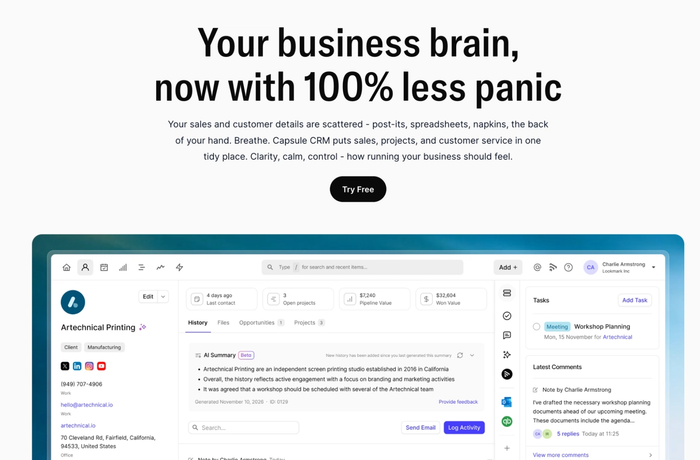
It's a customer relationship management platform built specifically for small and growing businesses — clean interface, fast setup, and a deliberate philosophy that simplicity and genuine capability aren't in conflict. Over 10,000 businesses use it globally, it holds a 4.7 rating on G2, and the reviews that drive that rating consistently mention ease of use and quality of support rather than feature complexity.
Contact management and communication history
Capsule's contact management is built around the way small businesses actually work. Every contact has a full activity timeline, giving you all your customer data in a single view before any conversation. Custom fields and tags let you organise the contact database in a way that reflects your actual business rather than a generic CRM template. Communication history updates automatically via email sync, which means the contact record stays accurate.
Visual sales pipeline
The sales pipeline is visual, drag and drop, and immediately readable; you can see deal status across your entire pipeline at a glance. The stale deals feature flags opportunities that have gone quiet, which for users managing lead and deal management alone is a practical safeguard against things slipping unnoticed. Multiple pipelines are available on higher tiers for businesses with more than one distinct sales process.
Task management and automation
Capsule's Tracks feature lets you build automated task sequences that trigger based on pipeline stage changes, covering the repetitive tasks that eat into selling time. Follow-ups, check-ins, and deal progression steps happen automatically once you've set the sequence. For someone working alone with no sales reps to delegate to, that kind of task management runs in the background, so you don't have to.
Project management
For small businesses that deliver work after closing deals, Capsule's built-in project management tools handle post-sale delivery in the same platform — removing the need to switch between project management tools when a deal converts to active work.
Mobile access
The mobile app is a full version of the product with offline access and automatic syncing. Contact details, pipeline, tasks – all accessible and updatable from a phone. For business operators who aren't desk-based, that's not a nice-to-have.
AI features
AI Summaries pull together recent interactions before a call so you walk in prepared. AI Email Assist drafts follow-ups based on a brief description of what you need to say. AI Contact Enrichment automatically fills contact records with company data, removing the data entry that quietly makes CRM databases unreliable over time. AI features are available on the Growth plan and above.
Pricing: Free plan available (2 users, 250 contacts). Starter from $18/user/month, Growth from $36/user/month. 14-day free trial on all paid plans, no credit card required.
Try Capsule free for 14 days →
Less Annoying CRM
Less Annoying CRM is exactly what the name suggests: a deliberately stripped-back CRM built for very small businesses that find most CRM software overcomplicated. One flat price, no feature tiers, no decisions to make about which plan to upgrade to. Every user gets the same product.
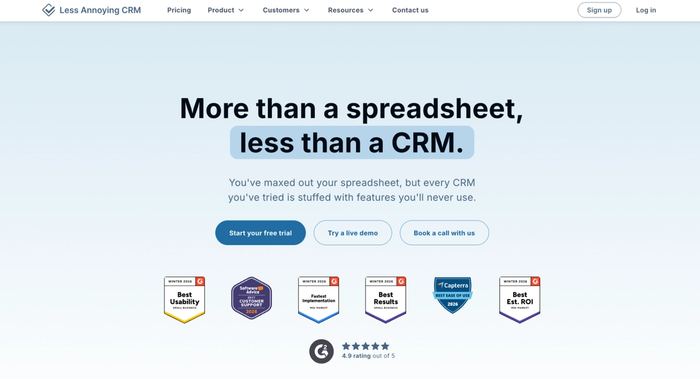
It handles contact management, a basic visual sales pipeline, task and calendar management, and email logging via BCC – enough for a company that needs to stay organised and doesn't require anything more sophisticated than that.
Key features:
- Simple contact management with a full activity view and basic communication history per contact
- Single visual sales pipeline with customisable stages and drag and drop deal management
- Task and calendar management with follow-up reminders tied to contacts and deals
- Flat rate pricing at $15/user/month with a 30-day free trial — no plan complexity, no feature gating
Considerations:
- No workflow automation or automation features of any kind — repetitive tasks remain manual, which becomes a real constraint as the contact database grows
- Integration options are limited compared to most CRM solutions — connecting to marketing tools or accounting software requires workarounds
- No mobile app that matches the desktop experience — mobile access is functional but limited
- The simplicity that makes it approachable early on becomes a ceiling for growing businesses
Less Annoying CRM is a good tool for companies that need basic CRM features, but most small businesses will outgrow it faster than the price point might suggest.
Folk
Folk is a newer CRM that has built a following among small teams doing relationship-led work: consultants, freelancers, founders, and anyone managing a wide range of contact types simultaneously rather than a structured sales pipeline.
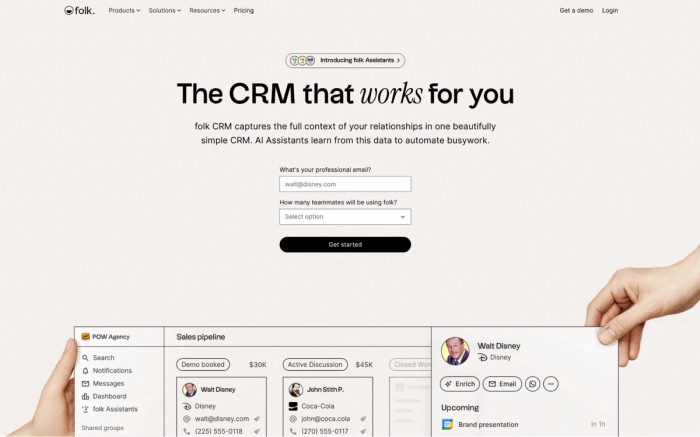
Its interface is clean and modern, AI message drafting helps with personalised outreach, and automatic contact enrichment reduces the manual data entry that makes most CRM databases hard to maintain alone.
Key features
- AI message drafting that generates personalised outreach based on contact data – useful for salespeople doing high-touch communication at volume
- A browser extension for capturing contacts directly from LinkedIn, reducing friction in the lead management process
- Flexible tag-based contact organisation that adapts to how a user actually categorises their relationships
Considerations
- Pipeline management and sales pipeline tracking are functional but basic; Folk works better as a relationship layer than a primary sales CRM for structured deal management
- Reporting and sales forecasting are limited; solopreneurs who need to track sales performance over time will find the analytics thin
- Workflow automation is less mature than competing CRM platforms, which limits how much it can automate repetitive tasks
- Some features that growing businesses need are still maturing; it's an actively developing product
Folk is a good tool for relationship building and personalised outreach, but those who need a proper sales process will find it falls short.
Zoho CRM
Zoho CRM is a flexible CRM platform with a broad feature set and pricing that makes it one of the more affordable options for small businesses that need more than a basic CRM.
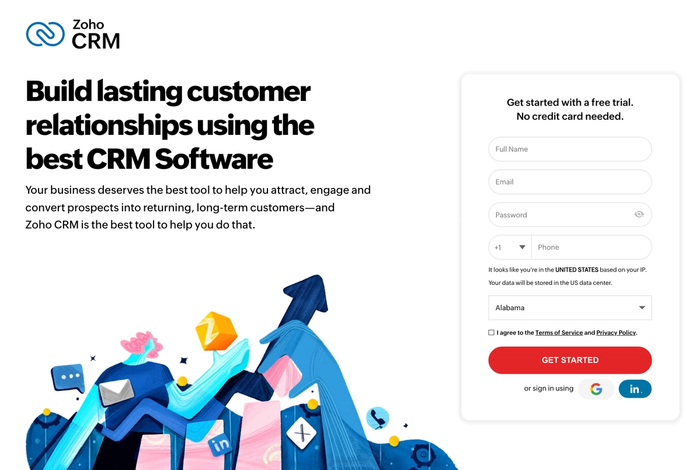
Its AI engine, Zia, adds conversational AI across the platform — analysing customer data for engagement signals, surfacing customer insights on deal health, and flagging which leads need attention. For companies that want AI-driven support at an accessible price point, Zoho is worth evaluating.
Key features
- Workflow automation covering repetitive tasks across the sales cycle, from follow-up reminders to deal stage changes
- Marketing automation and customer segmentation that connect sales process and marketing tools in a single CRM system
- Free plan available, with paid tiers that unlock automation features and deeper CRM features at reasonable per-user pricing
Considerations
- The interface can feel dense and dated compared to more modern, simple CRM software — the user-friendly interface that newer tools prioritise isn't consistently Zoho's strength
- The breadth of Zoho's product ecosystem can be as much a source of confusion as a capability for small businesses who just need a focused tool
- Advanced automation features and deeper customer insights are gated behind higher-tier plans
- Support quality can be inconsistent, which matters when an employee needs help quickly during setup
Zoho CRM is a good and affordable CRM software with broad functionality. However, the interface complexity means it rewards patience more than some alternatives on this list.
HubSpot CRM
HubSpot CRM is one of the most recognised names in small business CRM software, largely because its free CRM tier is more capable than most: covering contact management, deal tracking, email integration, and basic reporting.
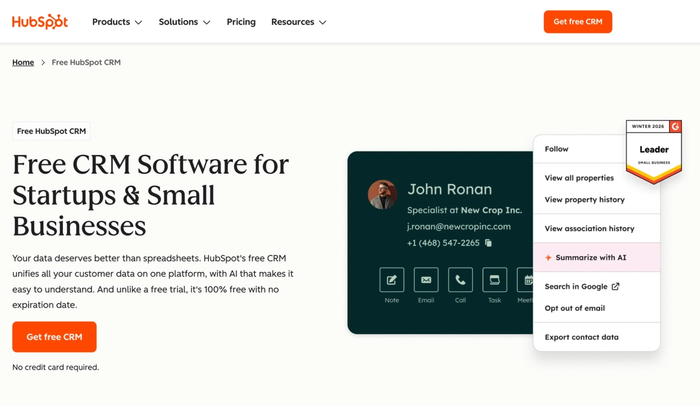
As a unified platform, it covers a wide range, from core CRM features through to marketing automation, customer service software, and content management. It is a good option for companies that want to consolidate multiple business processes into one place rather than managing separate marketing tools alongside a CRM system.
Key features
- Generous free plans with contact database, deal tracking, email integration, and basic reporting at no cost
- Marketing automation and email marketing built natively, covering lead management and marketing teams' needs from one platform
- Large integration library covering most tools small businesses use, with a marketplace for anything not covered natively
Considerations
- The free CRM and the plan a growing company actually needs are meaningfully different products. Automation features and custom reporting require paid tiers that escalate sharply
- The breadth of features can work against those who need a simple CRM and fast setup; configuration time is a real cost when you're working alone
- HubSpot's full value as a unified platform requires paying for multiple Hubs, which changes the pricing picture significantly
- Advanced CRM features like sales forecasting and deeper customer insights are locked behind higher tiers
HubSpot CRM is a good tool for agile teams who want a generous free tier and a platform that can grow into marketing and support — but the real cost of getting there tends to arrive later than the entry price suggests.
Pipedrive
Pipedrive is a sales CRM built specifically around pipeline management, designed for small sales teams who want a clear visual view of every deal in progress.
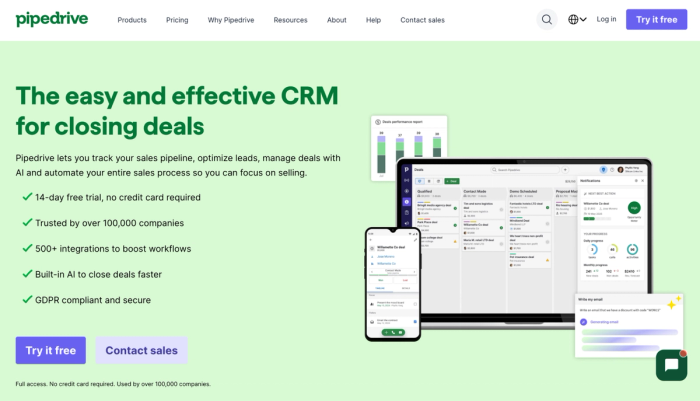
The visual sales pipeline is one of the best designed on this list; deal management is fast and intuitive, and the drag-and-drop tools make updating deal status genuinely quick. For companies whose primary need is sales pipeline tracking and closing deals, it's a strong option.
Key features
- Sales pipeline with drag and drop deal management and clear deal status tracking across the full sales cycle
- Sales automation covering repetitive tasks like follow-up reminders and deal stage changes with minimal configuration
- An AI-powered sales assistant that surfaces customer insights on deal progress and flags which opportunities need attention
Considerations
- Built primarily for pipeline management, lead and deal management is strong but broader business processes like project management sit outside the platform
- Marketing automation features are limited natively; those who need to run marketing campaigns alongside their sales process will need additional tools
- Reporting covers sales performance and pipeline health, but doesn't go deep on advanced analytics
- No meaningful free plan; to test it properly before committing, you will need to use the free trial period
Pipedrive is a good tool for sales pipeline tracking and closing deals. Those who need the CRM to support a broader range of business processes will find it limiting, though.
Monday CRM
Monday CRM is the sales-focused product within the Monday.com platform, making it a natural fit for small companies already running their operations there and wanting to bring customer relationship management into the same environment.
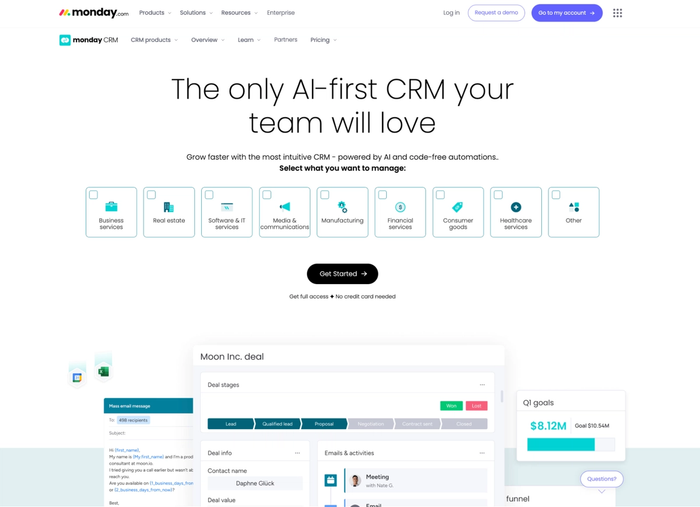
Built around a visual sales pipeline and a highly customisable board structure, it layers automation features on top of deal tracking and task management — making it a flexible option for businesspeople who think visually and want sales and project management in one place.
Key features
- Strong project management integration; companies already using Monday.com can connect sales and post-sale delivery
- Customisable board structure with custom fields that adapt to different sales cycles and business needs
- Automation features that cover repetitive tasks across the sales process, from follow-ups to deal stage changes
Considerations
- Sales-specific depth around lead management, sales forecasting, and customer insights is less developed than dedicated sales CRM tools
- Marketing automation features are limited – if you need to run marketing campaigns from the same platform, you will find Monday CRM falls short
- Pricing adds up when combining Monday CRM with the broader Monday.com suite, which can make it expensive relative to simpler alternatives
- The board-based interface works well for some users but can feel less intuitive for managing high volumes of customer interactions
Monday CRM is a good tool for those who are already embedded in the Monday.com ecosystem, but as a standalone, simple CRM solution, it lacks the depth that more focused tools offer.
The simplicity trap: what to watch out for
Not every CRM that markets itself as simple actually is. There's an important difference between a CRM platform that's simple because it's been thoughtfully designed and one that's simple because it's been stripped of everything that makes a CRM genuinely useful.
The stripped-back version tends to reveal itself in a specific way: everything feels easy until you hit the thing you actually need, and then it's not there. No workflow automation. No email sync. No meaningful reporting. A contact database that requires constant manual upkeep because nothing captures data automatically. That's not simplicity – that's a basic CRM that will cost you time rather than save it.
When evaluating any simple CRM tool, watch for these signals.
The free plan is the only genuinely simple tier. If the interface becomes significantly more complex once you upgrade to the plan with automation features and proper reporting, the simplicity was a feature of the pricing tier rather than the product design. Test the plan you'd actually use, not the entry-level version.
Automation is an add-on rather than a native feature. Automation features that feel bolted on often add friction rather than removing it. Automation that works natively within the CRM system is far more valuable than automation that technically exists but requires effort to maintain.
The mobile experience is an afterthought. A CRM platform that has a polished desktop interface and a limited mobile app hasn't been designed for how companies actually work. Mobile access should be treated as a core feature, not a secondary one – check it properly during the free trial before committing.
Simplicity is used as a reason not to improve. The best simple CRM software keeps improving: adding thoughtful features, refining the interface, updating integrations. A tool that hasn't shipped meaningful updates in twelve months isn't simple by design; it's stagnant. For a growing business, that stagnation will become a constraint.
The goal is to use the simplest CRM that does everything you actually need – cleanly, reliably, and without demanding more time than it gives back.
Finding the right fit
The best simple CRM for a small business working alone is the one that fits how you actually work on a regular workday. That means prioritising low data entry overhead, fast context before conversations, and mobile access that works properly, before anything else.
If you're looking for a customizable CRM that covers contact management, visual sales pipeline, task management, project delivery, and AI-powered features in a single platform, Capsule's free trial is a straightforward place to start. 14 days, all paid plan features included, no credit card required. For a company that needs to move fast, that's enough time to know whether it fits.