There are hundreds of CRM tools on the market, and most of them will tell you they're the best one.
But it isn’t about which CRM is “best” in general – it's which one is best for a small business owner specifically. That's a different buyer with different priorities, and the answer looks quite different from what a sales manager or a founder might need.
Why the "best CRM" question is harder for small business owners
A sales manager evaluating CRM software has a clear brief: find something that helps the team close deals faster.
A small business owner's brief is considerably messier.
You're probably the salesperson, the account manager, the marketing team, and the person who answers the phone when something goes wrong… often on the same day. The CRM system needs to work across all of those roles and help you avoid a data management burden on top of everything else.
That combination of requirements (broad enough to cover multiple functions, simple enough to use without training, affordable enough to justify) is actually quite specific. A lot of CRM software is built for sales teams with defined processes and people to maintain them. For a small business owner, that kind of tool creates overhead rather than reducing it.
What small business owners actually need from a best CRM for small business tends to come down to a handful of things: a clean mobile app that works as well away from the desk as at it, a customizable CRM that reflects how the business actually operates, and pricing from a CRM provider that doesn't punish growth.
The tools that get all of those right for this specific buyer are fewer than the market might suggest.
The real cost of a CRM for small businesses
CRM pricing is one of the more confusing areas of business software: not because it's complicated in principle, but because the way it's presented is designed to look more accessible than it is.
Most CRM platforms lead with a free plan or a low entry price. That's legitimate: free CRM tiers exist, and some of them are genuinely useful for very small operations.
But the features that make a CRM actually valuable for a small business owner, such as workflow automation, advanced analytics, marketing automation, or custom reports, are almost never included at the free or entry tier. They live one or two plan upgrades above where most buyers start.
So, what do you actually get at each price point?
Free plan
Basic contact database, simple pipeline tracking, limited integrations, and minimal reporting. Useful for testing the platform and managing a very small number of customer relationships. Not suitable for running an active sales process or automating anything meaningful. Usually capped at a small number of users and a limited contact database. However, for very early-stage businesses that just need to create contacts and start tracking leads, that can be enough to get started.
$10–20/user/month (affordable CRM)
Core CRM features unlocked: proper contact management, email integration, basic workflow automation, and usable reporting. This is the sweet spot for low-cost CRM that still delivers the core functionality a sales CRM needs to be genuinely useful. The gap between free and this tier is significant; it's worth paying for rather than trying to stretch a free plan beyond what it's designed for.
$30–60/user/month (mid-tier)
Advanced CRM features: multiple pipelines, deeper workflow automation, advanced analytics, sales forecasting, marketing automation tools, and more sophisticated lead management. The right tier for small businesses with an active sales team or complex sales processes. This is often where the AI-powered features become available.
$60+/user/month (advanced features)
Enterprise-grade reporting, custom objects, dedicated support, and the kind of depth that mid-sized businesses need. Rarely justified for a small business unless the operation has grown significantly or has very specific requirements.
Map out which features you genuinely need on day one, find the lowest tier that includes them, and check what the cost looks like at your projected team size in twelve months. A cheap CRM software that requires two-tier upgrades within a year isn't as affordable as it looked at the start.
What to look for in a CRM app as a small business owner
The criteria that matter for a small business owner are different from those a sales manager would prioritise. Here's how to evaluate any tool you're considering.
Mobile app quality
Small business owners aren't always at a desk. The mobile app needs to be a genuine version of the product, not a stripped-down companion app that only lets you view contacts. Look for the ability to log calls, update deals, manage tasks, and access the full contact database from a phone. Offline access with automatic syncing is a significant advantage for anyone who works in the field.
Set-up time and ease of use
A CRM that takes weeks to configure is a CRM that won't get used. For small business owners without a dedicated IT resource, the time between signing up and having a working system should be measured in hours, not days. Look for an intuitive interface and onboarding resources that don't require training sessions to understand.
Contact management depth
The contact database is the foundation of everything else. Look for a CRM that handles more than just names and email addresses: activity history, notes, calls, tasks, and documents. A CRM system that supports accurate, up-to-date customer information across the full contact database is worth considerably more than one that requires constant manual correction.
Workflow automation on a realistic plan
Automating routine tasks is one of the clearest ways a CRM saves a small business owner time. But check which plan automation is actually available on; it's frequently gated behind tiers that are significantly more expensive than the entry price. A CRM that advertises workflow automation but only delivers it at $50/user/month isn't an affordable CRM for most small businesses.
Integration with tools you already use
A CRM platform that doesn't connect to your email, calendar, and accounting software creates more work rather than less. Check native integrations carefully, particularly for Google Workspace, Microsoft 365, and whatever marketing tools you're already using. Zapier support covers gaps, but native integrations are more reliable and easier to maintain.
Reporting that's actually usable
Custom reports and advanced analytics are valuable, but only if the interface makes them accessible without a data background. For a small business owner who needs to check pipeline health and sales forecasts quickly, reporting should be clear and immediate, not something that requires building from scratch every time.
Sensible pricing
The per-user monthly cost at your current team size is only part of the picture. Check what the tool costs when you add two or three more people, and whether the features you need are still included at that tier. A CRM that's affordable at one user and expensive at five is a problem waiting to happen.
The best CRM apps for small business owners
Capsule CRM
Capsule is the CRM that tends to surprise people: not because it does everything, but because it does the right things exceptionally well for the buyer it's built for.
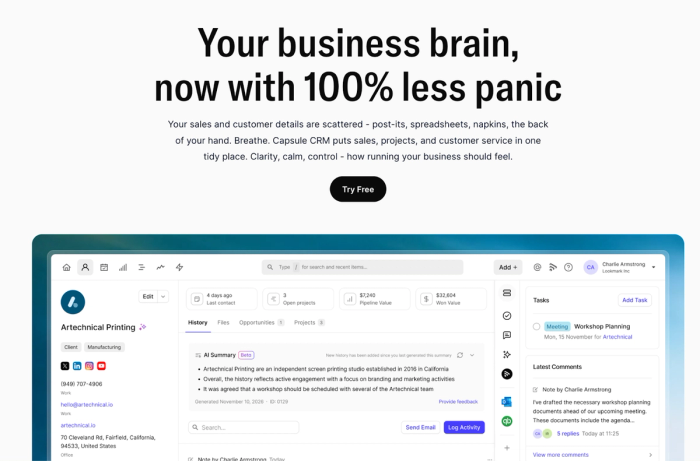
At its core, Capsule is a customer relationship management platform designed for small and growing businesses that want clarity over complexity. The interface is clean and fast, setup takes hours rather than days, and the learning curve is short enough that new team members can be productive almost immediately.
It's used by over 10,000 businesses globally and holds a 4.7 rating on G2: a rating driven largely by reviews that mention ease of use and quality of support rather than feature breadth.
Contact and pipeline management
Capsule's contact management is one of its strongest areas, and one of the clearest examples of what a customizable CRM looks like when it's done well for small businesses.
The best CRM software for this buyer doesn't just store customer information; it makes it immediately accessible and actionable. Every contact has a full activity timeline (emails, notes, calls, tasks, documents), giving small business owners a complete picture of every customer relationship without having to piece it together from multiple places.
Custom fields, tags, and filters make it straightforward to segment the contact database in ways that reflect how the business actually works rather than how a generic CRM assumes it does.
The visual sales pipeline is clear and functional, with drag-and-drop deal management and a stale deals feature that flags opportunities that have gone quiet; useful for small business owners managing customer relationships across a wide range of stages simultaneously. Multiple pipelines are available on higher tiers, supporting businesses with more than one distinct sales process.
Workflow automation and project management
Capsule's Tracks feature lets small business owners set up automated task sequences that trigger based on pipeline stage changes or deal activity, covering the repetitive tasks that eat into selling time. For businesses that manage post-sale delivery alongside the pipeline, Capsule's built-in project management tools handle project delivery in the same platform, removing the need to switch between business tools when a deal is won.
Mobile app
The Capsule mobile app is a full version of the product, not a companion app. It works offline, syncs automatically when back online, and gives small business owners access to the full contact database, pipeline, and task management from their phone. For anyone who spends time away from a desk, that's a meaningful practical advantage over CRMs, where the mobile experience is an afterthought.
AI features
AI Summaries pull together the last 50 interactions for any contact or opportunity before a call, removing the need to dig through email history for context.
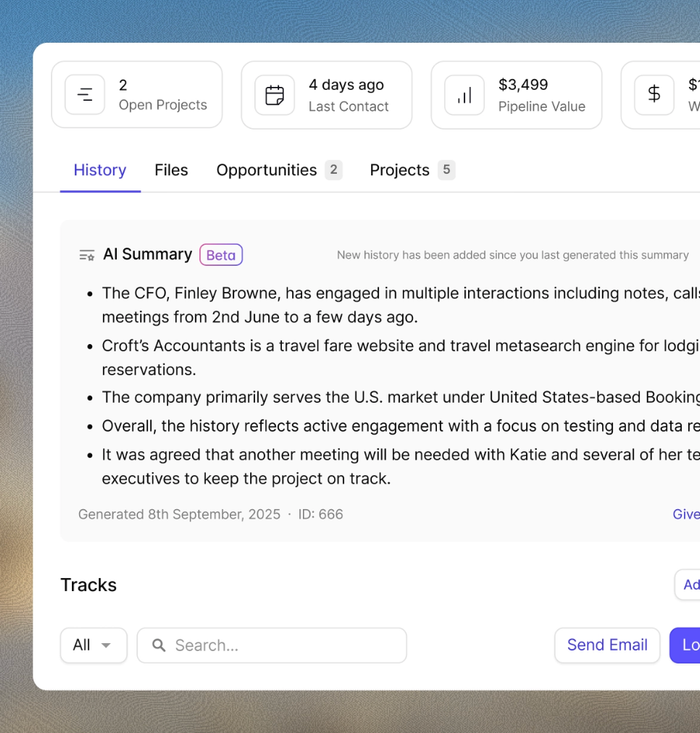
AI Email Assist drafts follow-up emails based on a brief description of what needs to be said. AI Contact Enrichment populates records automatically with company data, keeping the contact database accurate with no manual upkeep. AI features are available on the Growth plan and above.
Integrations
Capsule integrates natively with Google Workspace, Microsoft 365, Mailchimp, Slack, Xero, QuickBooks, and 60+ other tools, covering the core business processes most small businesses run on with no custom configuration.
Pricing
Free plan available. Starter from $18/user/month, Growth from $36/user/month, Advanced from $60/user/month, Ultimate from $75/user/month. 14-day free trial on all paid plans, no credit card required.
HubSpot CRM
HubSpot CRM is one of the most recognised names in small business CRM software, largely because its free plan is more capable than most: covering contact management, deal tracking, email integration, and basic reporting.
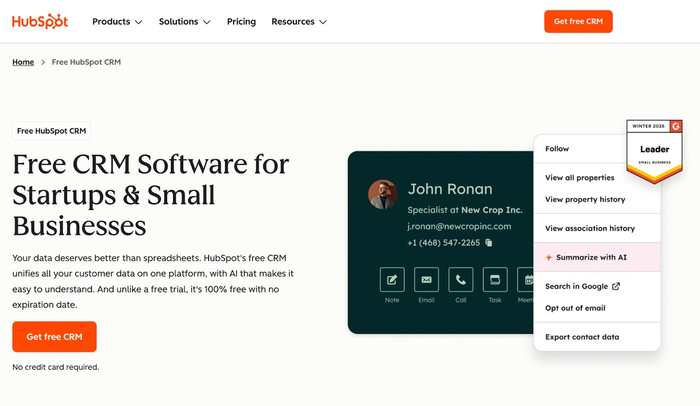
As a CRM platform, it covers a wide range, from core CRM features through to marketing automation, customer support, and content management. HubSpot CRM is a genuine option for small business owners who want to consolidate multiple business processes into one tool. Its AI layer, Breeze, adds an AI assistant across the platform for email drafting, deal summarisation, and contact management support.
Key features
- Generous free plan with contact database, deal tracking, email integration, and basic reporting included at no cost
- Marketing automation and email marketing tools built natively, covering both lead management and marketing campaigns from one platform
- Lead scoring and sales forecasting available on higher tiers
- Large integration library covering most tools small businesses use, with a marketplace for anything not covered natively
Considerations
- The free plan and the plan a growing small business actually needs are meaningfully different products: workflow automation, sequences, and custom reports require paid tiers that escalate sharply
- Small business owners who need Sales Hub, Marketing Hub, and Service Hub together will find the combined cost significant relative to more focused alternatives
- The breadth of features can slow down small business owners who need a simple CRM and fast setup; configuration time is a real cost
- Advanced CRM features like predictive lead scoring and in-depth sales forecasting are locked behind higher tiers, making the entry experience feel limited for data-driven owners
HubSpot CRM is a good tool for small business owners who want a generous free plan and a platform that can scale into marketing and support, but the real cost of getting there is higher than the entry price suggests.
Zoho CRM
Zoho CRM is a flexible CRM solution with a broad feature set and pricing that makes it one of the more affordable CRM software options for small businesses that need more than a basic CRM but don’t want to end up paying mid-tier prices.
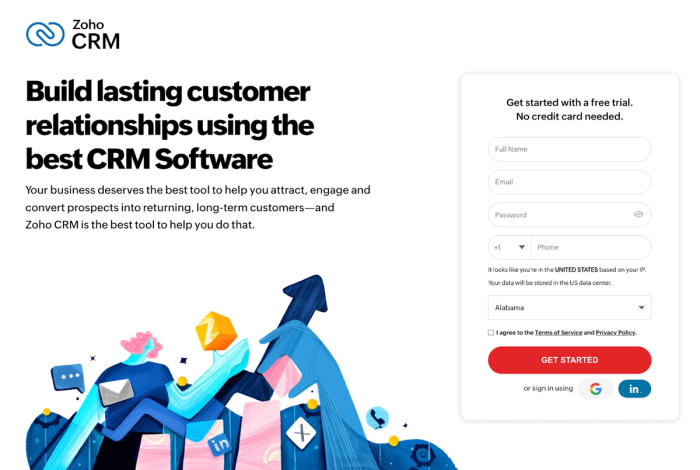
Its AI engine, Zia, adds conversational AI across the platform, handling customer inquiries, analysing customer data for engagement signals, and surfacing predictive insights on deal health. For small business owners who want AI driven sales support at an accessible price point, Zoho is worth serious consideration.
Key features
- Zia AI for predictive insights and lead management across the contact database
- Workflow automation covering repetitive tasks across the sales cycle, from follow up reminders to deal stage changes
- Marketing automation and customer segmentation tools that connect sales processes and marketing campaigns in a single CRM platform
- Strong integration library including Google Workspace, Mailchimp, and a wide range of communication tools
Considerations
- The interface can feel dense and dated compared to more modern CRM tools; the intuitive interface that newer platforms prioritise isn't consistently Zoho's strength
- The breadth of Zoho's product ecosystem can be as much a source of confusion as a capability for small business owners who just need a focused tool
- Advanced features, including deeper analytics and AI-powered insights, are gated behind higher-tier plans
- Support quality can be inconsistent, which matters for small business owners who need reliable help during setup
Zoho CRM is a good tool for small business owners who want capable, affordable CRM software with broad functionality, but the interface complexity means it rewards patience more than some alternatives.
Less Annoying CRM
Less Annoying CRM does exactly what the name promises. It's a deliberately simple CRM built for small business owners who find most CRM software overcomplicated and want something operational within an afternoon.
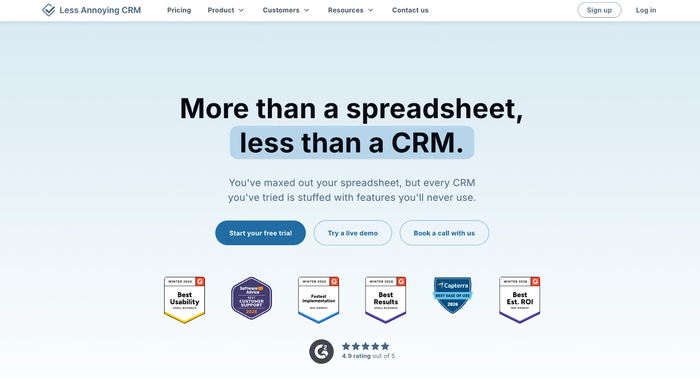
One flat price, no feature tiers, no configuration overhead. Every user gets the same product at the same per user month cost, which removes the pricing complexity that makes most CRM decisions harder than they need to be for very small operations.
Key features
- Web forms for capturing leads directly into the contact database
- Simple contact management and visual sales pipeline with an intuitive interface that requires no training to use
- Task and calendar management built in, with basic follow-up reminders to keep customer interactions on track
- Flat rate pricing at $15/user/month with a 30-day free trial — no plan tiers, no feature gating
Considerations
- No workflow automation, no marketing automation, and no AI-powered features — Less Annoying CRM is deliberately basic, which becomes a real constraint as a small business scales
- Integration options are limited compared to most CRM platforms — connecting it to the wider business tools stack requires workarounds
- Reporting is minimal; small business owners who need sales forecasts or custom reports will need additional tools
- The simplicity that makes it appealing early on becomes a ceiling — most small businesses outgrow it faster than expected
Less Annoying CRM is a good tool for very small business owners who need basic contact management without overhead, but it's a starting point rather than a long-term CRM solution.
Salesforce CRM
Salesforce is the most established name in customer relationship management software, and its small business offering (Salesforce Starter) attempts to make the platform accessible at a lower price point than its enterprise tiers.
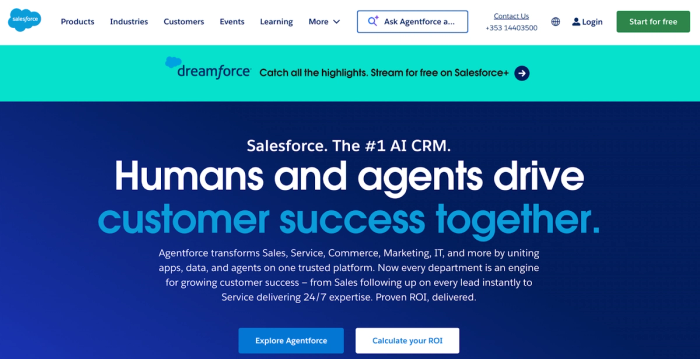
For small business owners who anticipate significant growth and want a CRM platform that won't require replacing as the business scales, Salesforce has the depth to grow with them. Its Einstein AI layer adds predictive insights, lead scoring, and customer behaviour analysis across the CRM database.
Key features
- Highly customisable data model with custom fields and flexible sales processes that adapt to complex business needs
- Advanced analytics and custom reports that give small business owners detailed visibility into sales forecasts and team performance
- Extensive integration library connecting with virtually any tool in a small business stack
Considerations
- Implementation typically requires a dedicated resource to configure and maintain — the setup overhead can be significant for a small business owner
- Pricing escalates sharply with team size and feature requirements, making it difficult to justify for businesses that don't yet need the full depth
- The intuitive interface that smaller tools prioritise is not what Salesforce is optimised for; the learning curve is steeper than most alternatives on this list
- Better suited to businesses planning significant near-term growth than those looking for a simple CRM to manage current customer relationships
Salesforce CRM is a good tool for small business owners with clear growth ambitions who want a platform they won't outgrow — but for most small businesses, it's a tool to grow into rather than start with.
Monday CRM
Monday CRM is a natural fit for small business owners already running their operations with Monday.com and wanting to bring customer relationship management into the same environment.
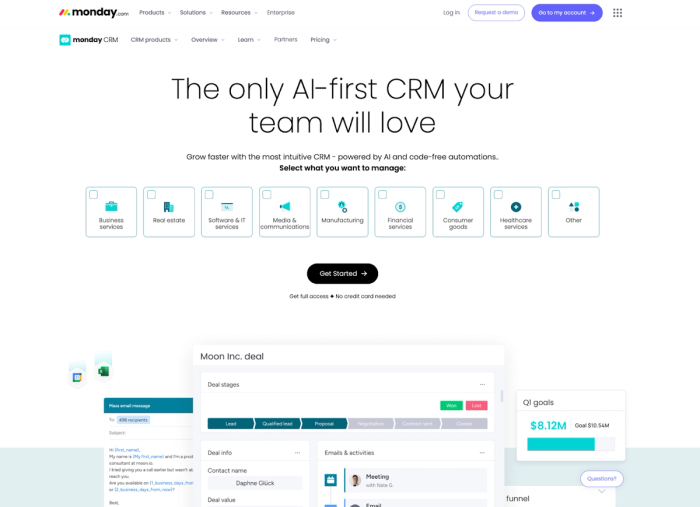
Built around visual sales pipelines and a customisable board structure, Monday CRM layers AI-powered automation on top of deal tracking and task management — making it a flexible option for small businesses that think visually and want sales and project management in one place.
Key features
- Pipeline management with drag-and-drop deal tracking and AI-powered automation for routine pipeline updates
- Good project management integration – small business owners already using Monday.com can connect sales and post-sale delivery without switching platforms
- Flexible board structure with custom fields that adapt to different sales processes and business needs
Considerations
- Sales-specific depth around lead scoring, advanced analytics, and sales forecasting is less developed than dedicated CRM solutions
- Marketing automation features are limited; small business owners who need to run marketing campaigns from the same platform will find it falls short
- Pricing adds up when combining Monday CRM with the broader Monday.com suite
- The visual board interface works well for some owners but can feel less intuitive for managing high volumes of customer interactions
Monday CRM is a good tool for small business owners already embedded in the Monday.com ecosystem, but as a standalone CRM solution, it lacks the depth that more focused tools offer.
Freshsales
Freshsales is a CRM built by Freshworks, designed to help small business owners improve customer interactions and move deals forward with less manual effort.
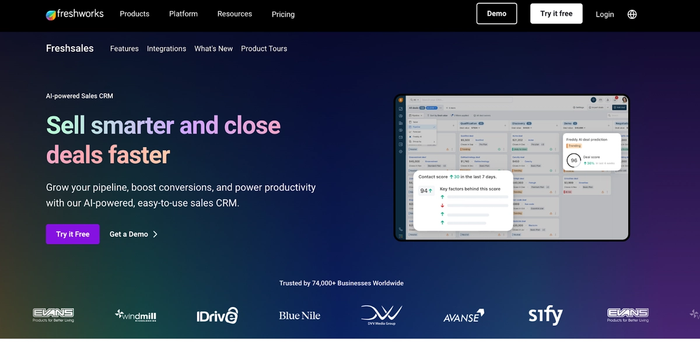
Its AI engine, Freddy AI, handles predictive lead scoring by analysing customer behaviour and historical data. Freddy AI also surfaces deal health insights and flags pipeline risks before they become problems.
Key features
- Freddy AI for predictive lead scoring, deal insights, and customer behaviour analysis that reduces manual pipeline management
- Sales pipeline with AI-powered deal tracking and automated follow-up reminders
- Workflow automation covering repetitive tasks across the sales cycle, from lead management through to renewal reminders
Considerations
- Freddy AI's most useful features are locked behind higher-tier plans, which can make the entry-level offering feel underpowered
- There's a real learning curve — small business owners who need to be operational quickly may find the setup investment harder to justify than simpler alternatives
- Works best within the broader Freshworks ecosystem; less compelling as a standalone CRM if you're not already using other Freshworks products
- Reporting requires configuration effort for small business owners who want metrics beyond standard sales pipeline tracking
Freshsales is a good tool for small business owners who want AI driven lead prioritisation and customer interaction management — but getting full value from Freddy AI requires a data foundation that very early stage businesses don't always have.
Pipedrive
Pipedrive is a CRM built around pipeline management, designed for small business owners who want a clear visual view of every deal in progress without the complexity of a broader business platform.
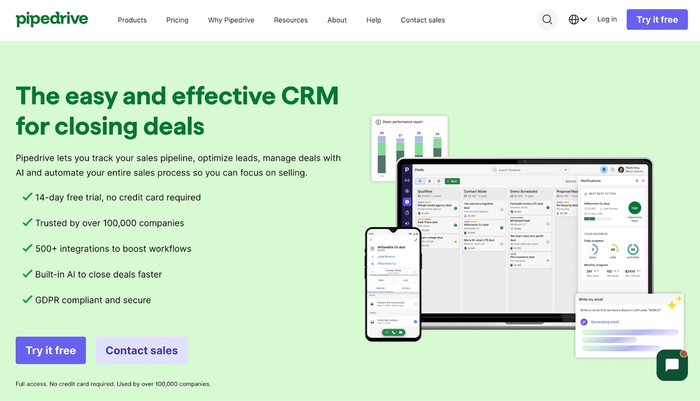
It's one of the more popular CRM tools among small businesses for good reason — the visual sales pipeline is well designed, deal management is fast, and the automation tools cover most of what a small sales team needs to manage leads and close deals without significant configuration overhead.
Key features
- Sales automation covering repetitive tasks like follow up reminders, deal stage changes, and activity scheduling
- AI powered sales assistant that surfaces insights on deal progress and flags which opportunities need attention
- Solid integration library covering essential business tools including Google Workspace, Slack, and Mailchimp
Considerations
- Built primarily for pipeline management — handles the sales process well but offers limited support for broader business processes like post-sale delivery or project management
- Marketing automation features are limited natively; small business owners who need to run marketing campaigns alongside sales will need additional tools
- Reporting covers sales productivity and pipeline health but doesn't go deep on advanced analytics
- Customer segmentation capabilities are more limited than dedicated marketing-focused CRM solutions
Pipedrive is a good tool for small business owners who want excellent visual pipeline management and clean sales automation — but those who need the CRM to support broader business functions will find it falls short.
Five signs you've outgrown your current CRM
Most small business owners don't switch CRMs because they went looking for something better. They switch because the tool they're using started making their day harder rather than easier. Here are the signs that it's time to move on.
You're maintaining a spreadsheet alongside your CRM.
When the CRM system stops being the source of truth and a Google Sheet starts filling the gaps, the data management has broken down. A good CRM provider should make it easier to maintain accurate customer information over time, not harder. It usually means the CRM can't handle a particular type of data, a workflow, or a report that the business needs; and rather than fix the root cause, the team has worked around it. That workaround has a compounding cost.
Follow-ups are falling through the gap regularly.
A CRM's most basic job is making sure nothing gets forgotten. If leads are going cold because nobody got a reminder, or customer interactions are being missed because the task management isn't reliable, the tool isn't doing what it's supposed to. This is often a sign that the current CRM lacks the workflow automation needed to manage a growing contact database.
The mobile app isn't usable.
If you're back-filling CRM data from memory at the end of the day because the mobile app doesn't work properly in the field, you're losing information and wasting time. A CRM app that isn't genuinely functional on mobile is a liability for any small business owner who isn't desk-based.
Reporting doesn't answer the questions you're actually asking.
Basic pipeline reports are useful early on. As the business grows, the questions get more specific: which lead sources are converting, where deals are stalling in the sales cycle, which customers are most at risk of churning. If the CRM can't answer those questions without a manual export and a spreadsheet, the reporting has become a ceiling.
The pricing has stopped making sense.
Either the tool has become expensive relative to what it delivers, or the features you now need are locked behind a tier that costs significantly more than what you're paying. Both are legitimate reasons to look elsewhere. The best CRM software for a small business at ten customers isn't necessarily the best one at a hundred – and recognising that early saves a painful migration later.
Finding the right fit
The best CRM app for a small business owner is the one that fits how you actually work, not how a sales team is supposed to work, and not how a CRM provider assumes you operate. That usually means prioritising ease of use and mobile access before feature depth, and being honest about which plan you'd genuinely be on rather than which entry price looks most appealing.
If you're looking for a sales CRM that covers contact management, pipeline tracking, project delivery, and AI-powered automation in a single platform (and builds better customer relationships without requiring a dedicated resource to keep it running) Capsule's free trial is a straightforward place to start. 14 days, all paid plan features included, no credit card required.