
A missed follow-up rarely feels like a serious problem in the moment. One unanswered email, one renewal date buried in a spreadsheet. Then it happens again, and a reliable customer has quietly chosen someone else.
A client tracker gives every loose end somewhere to land.
The free client tracker template in this guide helps you manage up to 50 clients before you need another tool in your stack. You'll see which details deserve a column, how to build a follow-up rhythm that holds, and when a spreadsheet has reached its limit.
What is a client tracker?
A client tracker is the place you check when you need to know what is happening with an account. It can be a spreadsheet or a full CRM; the format is secondary. The latest client information needs a permanent home outside anyone's head.


Who needs a client tracker?
A freelancer, an agency, or a small business under about 50 accounts can usually run this from a customer tracking spreadsheet. Done well, it becomes a single source of truth: every account, its current status, and the next action in one place.
That's the whole idea behind a client management system, and you can build a basic one in an afternoon. Get it right and you stay organized and stop letting good accounts go quiet.
Retainer consultants and service businesses living on renewals feel this most, because the relationship is the product. If your revenue depends on customers coming back, you need to know, at any moment, who's gone quiet and who's due a check-in. A tracker turns that from a feeling into a list, and the right approach to managing those relationships separates a steady book of business from a leaky one.
What to track: the only columns you need
A good client tracker has fewer columns than you'd expect. Track these, and skip the rest:
- Identity. Client name, main contact, email, and phone: the basic client details you reach for most.
- Relationship. Status (lead, active, paused, or churned) and how you won them. This is your client relationship at a glance.
- Money. Value or monthly retainer, and the date of the last invoice, so you can see which accounts carry the business.
- Next touch. Last contact date, the next action, and the date it's due; treat it as the engine of the whole system.
- Notes. One free-text column for context, links, or the last thing you discussed.
That's it. A client tracker template with 30 columns is one nobody updates. The fields that matter most are the ones you'll act on, so keep that client data lean and cut the vanity columns. If a field never changes a decision, it doesn't belong in the tracker.
A quick test for each entry: would it change what you do this week?
"Status: lead, last contact 40 days ago, next action overdue" tells you to call today. "Industry: retail" rarely does. Track the second kind only if you'll segment by it later. The leanest tracker that still answers "who needs me next?" beats the most detailed one you stop opening.
How the free client tracker template works
Download the free client tracker here.
The template is a simple workbook with three tabs.
- Clients. The master list, one row per client, with the columns above. A status dropdown keeps entries uniform, and a flag column highlights any check-in that's overdue or coming up.
- Dashboard. An auto-updating summary: how many clients you have, how many are active, total and active value, and how many check-ins are overdue or due this week. You fill in the Clients tab, and the dashboard does the math.
- Guide. Column definitions and the weekly routine, so anyone on the team can pick it up.
It works in Excel or Google Sheets, and you can customize the statuses and columns to fit your sales process. Keep all client data there, keep it current, and you've already beaten the sticky-note system many teams run on.
The flag column is the quiet hero. A short formula checks each next-action date against today and marks the row "overdue" or "due soon," so the file tells you where to look before you've scanned a single row. The dashboard rolls those flags into a single count you check each morning. Two minutes, and you know if anyone is about to fall off your radar.
How to build your tracking system
The difference between a client tracker that works and a dead tracker is the follow-up routine, and the routine runs on the last-contact, next-action, and due-date columns.

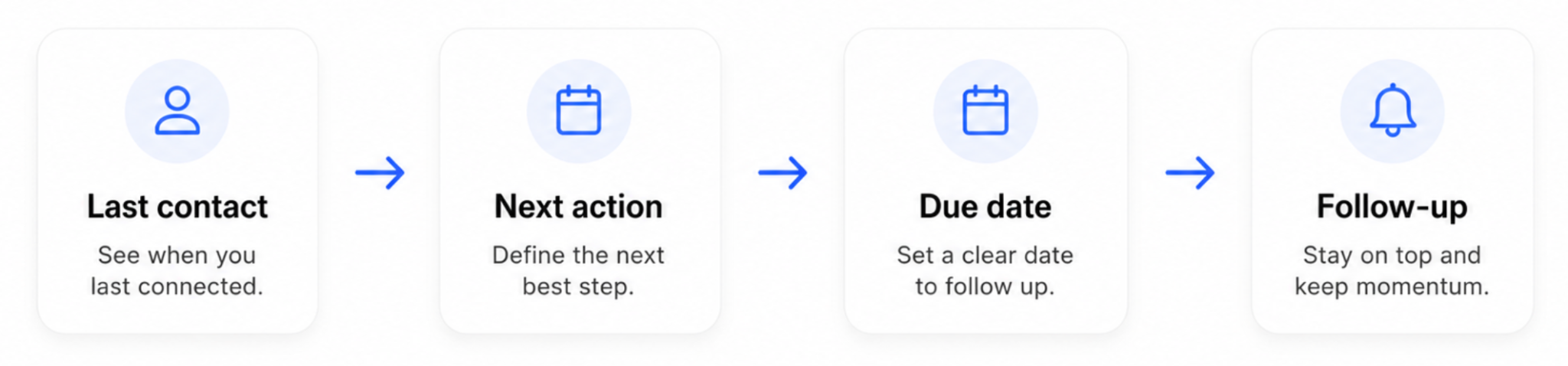
Every time you speak with someone, update the last-contact date and set the next action with a deadline. Then sort the Clients tab by next-action date, and your week plans itself. The overdue rows are today's calls, and the rows due in the next few days are this week's. Anything past its date lights up as overdue, so a quiet account can't disappear for three months unnoticed.
These reminders are manual in a sheet, and at this scale that's fine: the habit protects long-term customer relationships, and the tooling can wait. An account that hears from you on a predictable rhythm feels looked after; one that goes quiet for a quarter starts shopping around. Consistent contact is also the fastest route to building trust with clients, and it's the cheapest retention tool you have.
A simple cadence works for a small book. Active accounts hear from you every couple of weeks, slower ones monthly. Before each renewal, add a planned check-in. You don't need software to run it, only the discipline to set the next date every time you close a conversation. Miss that one step and the whole system quietly stops working.
A simple workflow for managing up to 50 clients
A client tracker only works if updating it is a habit. Here's a workflow that takes about 10 minutes a week:
- Monday review. Open the dashboard, scan the overdue follow-ups, and work down the list before anything else.
- After every client interaction. Update last contact and set the next action before you close the tab. Logging it "later" means not logging it.
- Onboarding new clients. Add a row the day you sign them, with a first next-action set, so a new client never starts cold.
- Monthly cleanup. Move churned accounts to a "churned" status and keep the rows, because that history is useful later.
This stays light on purpose. Project management and client tracking are different jobs: deliverables live in a project tool, and the client tracker owns the relationship and the next touch. If you merge them, they both can end up neglected.
In practice the rhythm looks like this:
- Monday morning, you open the dashboard, see four overdue check-ins, and clear them before lunch.
- Wednesday, a discovery call ends, and before the tab closes you log the next step with a date.
- Friday, you sign a new account and add the row on the spot.
Ten minutes spread across the week, and the book stays current with no heroics. The teams that fall behind are the ones saving it all for a monthly catch-up that never happens.
5 signs you've outgrown the spreadsheet
A spreadsheet client tracker is the right tool right up… until it isn't.

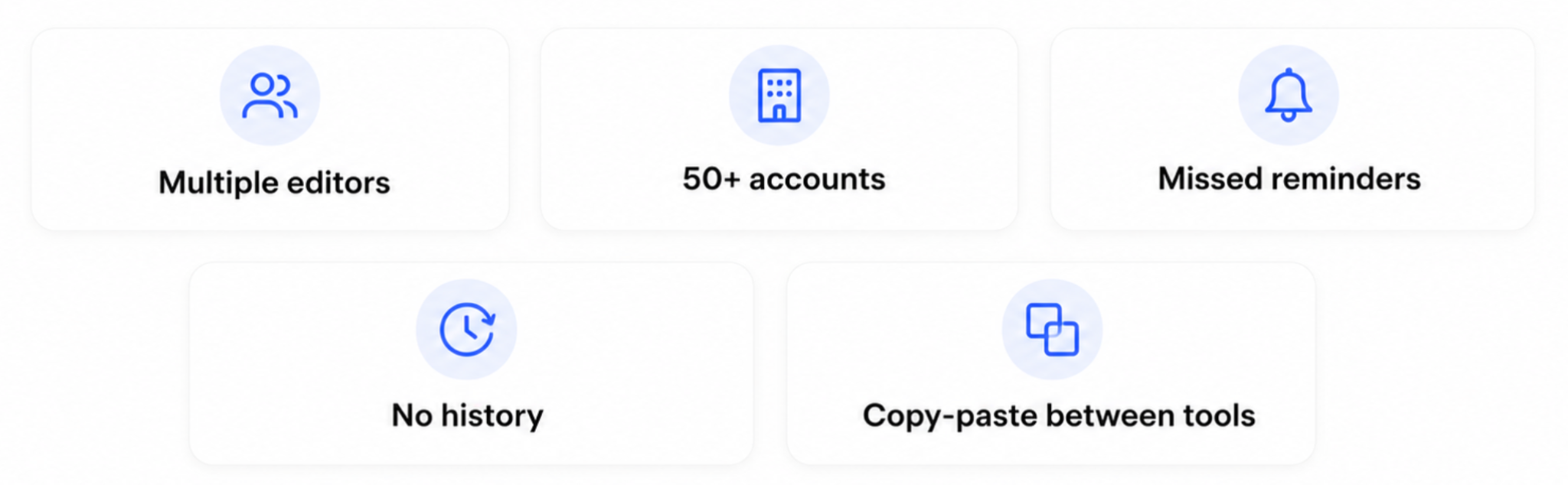
Watch for these signs:
- More than one person edits it. Multiple hands in the same file bring version conflicts and overwritten rows, and you stop trusting the numbers.
- You're past about 50 accounts. Scrolling and sorting stop being fast, and the whole sheet feels heavy to open.
- You forget to check in anyway. Manual reminders only work if you remember to look. Past a point, you need a system that nudges you before you think to check.
- No history. This is the difference between a spreadsheet and a database showing up in daily work: a sheet holds the current state, but the thread of emails and calls behind each account stays trapped in your inbox.
- You copy-paste between tools. When the same client data lives in the tracker, your inbox, and an invoicing app, you've outgrown one flat file.
Tick a couple of these boxes and a dedicated client tracking tool will save more time than it costs. That's the moment to look at client management software built for the job, before the cracks turn into lost revenue.
When to move from a spreadsheet to a CRM
A CRM is a client tracker that maintains itself.
Where a sheet gives you a flat grid, a CRM gives every contact a record with the full history of emails, calls, and notes attached, so context is always one click away.

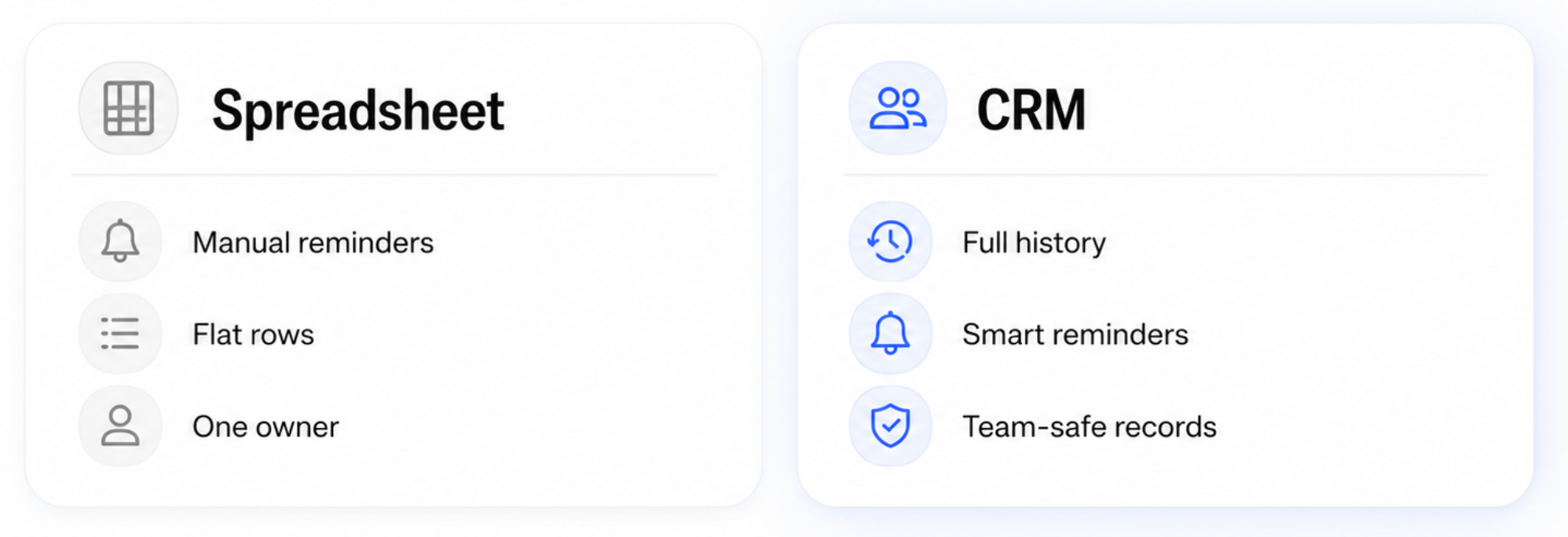
The follow-up reminders you set by hand become automatic, and the tool nudges you on the day each touch is due. It also tracks the sales metrics, like win rate and value by stage, which a flat file can't roll up on its own. On a small sales team, that visibility is the difference between a forecast and a guess.
Client tracking software also scales past the 50-client ceiling with no slowdown, lets a whole team work the same client database safely, and automates the repetitive tasks that eat your week. Some tools add AI-powered client summaries that catch you up on a relationship in seconds. If you're choosing a client tracking system, look for the essential features and skip the rest: contact management, a visual pipeline, tasks with reminders, and reporting. You can ignore extras like a client portal until you need them. Many CRMs ship with ready-made templates, so the switch from your sheet is faster than it looks, which is why so many small businesses make the move once a single owner can't keep up. The automation pays for itself the first month nobody drops a deal.
Spreadsheet or CRM: which do you need right now?
The honest answer comes down to volume and people.
Use a sheet if you're under 50 accounts and one person owns the updates. A team of one that wants history attached to every contact can also run a single-user CRM from day one. Move up once anything breaks: a second hand on the file, or follow-through that keeps slipping as the roster grows.
Don't switch for the sake of it. A tool you half-fill is worse than a sheet you keep current, because at least the sheet is honest about being manual. The right moment to upgrade is when the admin of staying organized costs more than the software would, and when missed touches start costing real money.
Also, count the systems your data touches. A sheet, plus your inbox, plus a calendar reminder, and you're already running a CRM by hand, with none of the upside. Consolidating those into one record is the whole reason CRMs exist. Until then, the template here does the job; after then, the goal is a tool that automates the parts you do by hand and fits the way you already work.
How Capsule grows with you
Capsule is the natural next step when the spreadsheet stops keeping up, and the free plan makes the switch low-risk: 250 contacts and two user seats, enough to move a full 50-client list with room to spare, at no cost.

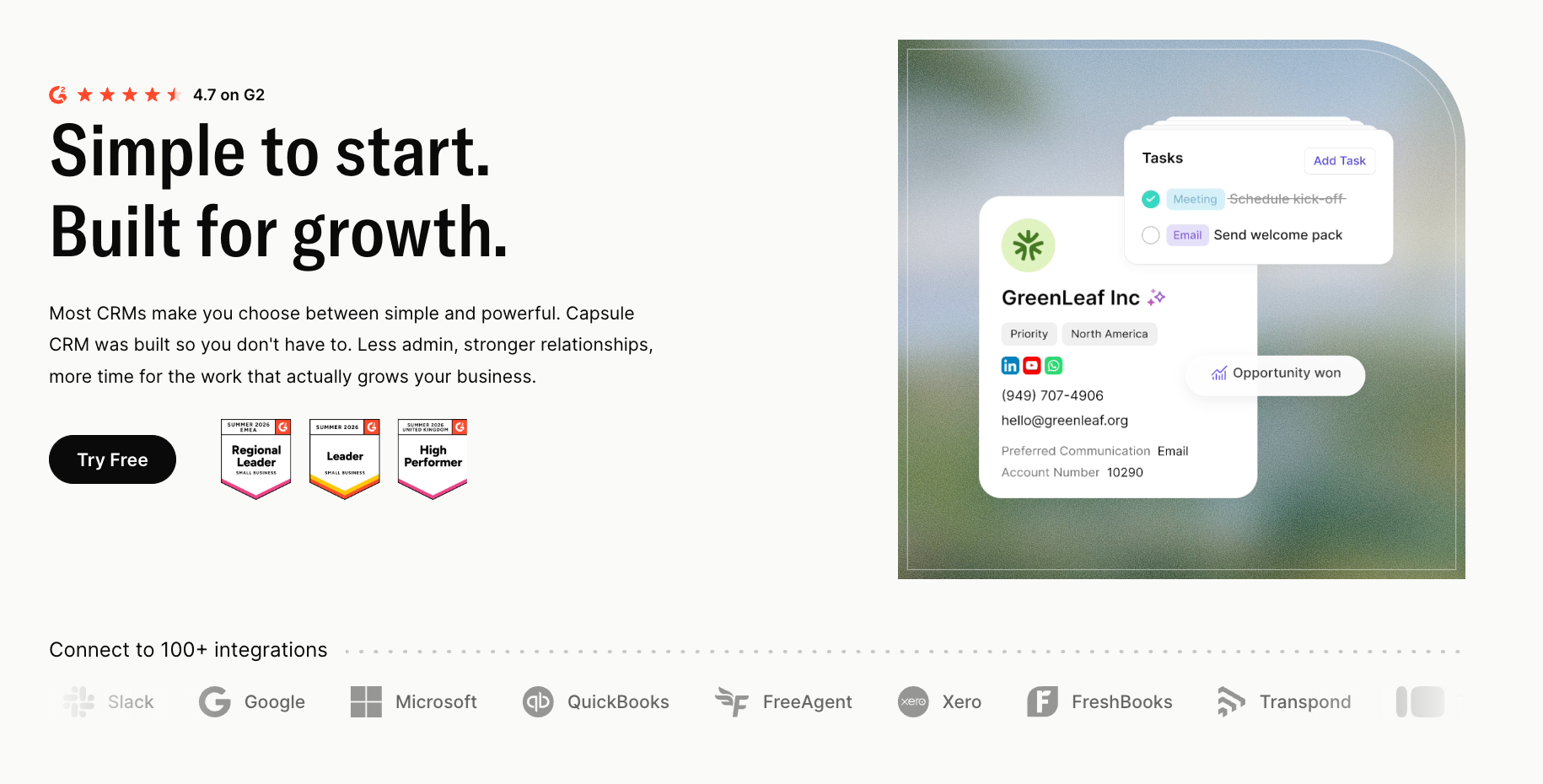
Where a spreadsheet holds flat rows, Capsule keeps full client records: every email, note, and task attached to the contact, so the story of each relationship is always there.
Contact management replaces your identity columns. Drag-and-drop pipelines work like a Kanban board, replacing the status column and showing where each account stands. And then, Tasks with smart reminders replace your manual reminder column, emailing you the day's priorities.
Workflow automation handles the repetitive tasks, the built-in reports give you a live dashboard, and the paid plans add AI summaries with a 14-day free trial to try them. A few built-in housekeeping features keep the account tidy as it grows, and Capsule connects to the tools you already use, so client data flows in on its own.
It becomes the single source of truth a spreadsheet only pretends to be.
The before-and-after is stark. In a sheet, a client calls and you scramble through your inbox for the last thread. In Capsule, the call comes in and the full record is on screen: every email, the open task, and the last note. One feels like guessing, while the other feels like you were expecting them. That's the upgrade you pay for, and on the free plan you feel it before you spend a thing.
Your free client tracker template
Download the free client tracker template here.
It's a solid client tracker for a freelancer or small team: editable, with the columns and dashboard already built, and ready to run in Excel or Google Sheets today.
A client tracker only stays useful while it stays current, so start simple.
Use the template as-is, or build a custom client tracker by adding the fields your business needs. Either way, you'll start tracking clients in minutes and skip the blank-sheet stage entirely.
When you outgrow it, your data lifts straight into a purpose-built tool with no rework, so nothing you do today goes to waste.
You’re tracking clients well when no account is left without a next action. Start this week with the names you already have, set a next action against each, and you're running a real system tomorrow.
Make it obvious who owns the next step
Clients stall when everyone can see the account, but no one knows who is supposed to act. Use the tracker to assign every next move, then switch to Capsule when ownership needs to stay clear across a growing team.