
Small legal firms often lose business before the first consultation ever happens. If a prospect contacts the firm on Tuesday and a follow-up does not happen until Friday, another lawyer has likely already won the matter.
Industry research on legal lead response shows the obvious cost. Firms responding to inquiries within minutes convert far better than firms responding within hours. The curve drops off a cliff after the first day. A small firm that handles intake reactively, checking voicemail twice a day and returning calls when the calendar allows, leaks signed clients every week.
This guide covers how a small legal firm should design an intake process, what a CRM has to do to support it, and which tools fit which kind of practice.


What is client intake for a law firm?
Intake is everything that happens between a prospect's first reaching out and a signed engagement letter going back into the firm's filing system.
In a small practice, that journey passes through a familiar sequence:
- A prospect reaches out by phone or web form.
- Someone at the firm captures the information.
- A conflict check happens.
- A consultation is scheduled.
- The consultation takes place.
- A fee proposal goes out.
- The retainer agreement is signed, the payment clears, and the matter opens.
In a firm running well, those moments are tracked and owned by someone specific. In a firm running poorly, half of them happen in someone's head, and the other half live in three different inboxes.
The honest test is this: if the receptionist or office manager calls in sick on a Monday, can the firm still respond to a new inquiry within an hour? If the answer is "probably not," intake isn't really a system – it’s a habit one person holds together.
Core functions of a legal client intake system
Five jobs make up the core of any intake process that converts well. A CRM is only useful to a small legal firm if it makes these jobs easier to do consistently. It should:
- Capture every inquiry in one place. Phone calls and partner referrals need to land in the same system as web form submissions. If new prospects land in five different places, half of them get dropped.
- Run a conflict check before substantive contact. Privilege and ethics rules mean a firm can't start gathering matter details from a prospect who turns out to conflict with an existing client. The check has to happen early, ideally before the consultation is even scheduled.
- Move the prospect through scheduled steps with assigned ownership. Intake breaks down when steps fall between people. Each stage needs to be assigned to a person, tied to a deadline, and tracked when it falls off schedule.
- Send and track engagement documents. Retainer agreements and fee proposals are the conversion events. The firm needs a clear record of sent documents and signature status.
- Open the matter cleanly when intake ends. The handover from "prospect" to "client" is where most companies lose the context they spent two weeks building. Your CRM has to keep that context intact when the matter file is opened.
A CRM that supports these five jobs is a real intake system. A CRM that handles three of them and leaves two for someone to remember is a glorified contact database.
Why generic CRMs fall short for legal intake
The intake process for a law firm looks a lot like a sales pipeline for any other business. A prospect arrives and moves through stages until they either convert or walk away. That likeness is why most legal practices try a generic CRM first, then quietly abandon it.
The differences matter at every step.
Conflict checking has no equivalent in sales pipelines
A SaaS company can sell to anyone it wants, and a construction firm has no obligation to check past clients before booking a discovery call. Legal intake has to, and most generic CRMs leave that work entirely to the human.
The matter, not the contact, is the unit of work
A sales pipeline assumes one contact equals one deal. A law firm's contact may have three matters open, and four matters closed, with each one needing its own pipeline stage and its own follow-up cadence. Generic CRMs handle this by creating workarounds, like separate "deal" records for each matter – and the workarounds eventually collapse under their own weight.
Document tracking is the conversion event
Documents matter more in legal intake than in most sales processes. The retainer agreement is the conversion event, and tracking its status is half the value of the intake system. Most generic CRMs treat documents as attachments, not tracked objects with their own lifecycle.
None of this means generic CRMs are useless for legal practices. Many small firms run on them perfectly well. It does mean the firm has to be honest about what the CRM handles and what falls back to the human, and adjust the process accordingly.
Capsule CRM for legal client intake
Capsule occupies a specific place in this market. It isn't a legal-industry product, and it doesn't ship with built-in conflict checks or document automation for engagement letters. What it does have is a clean structure for tracking relationships and pipelines, with enough customization that a small legal firm can shape the system to its own intake process.

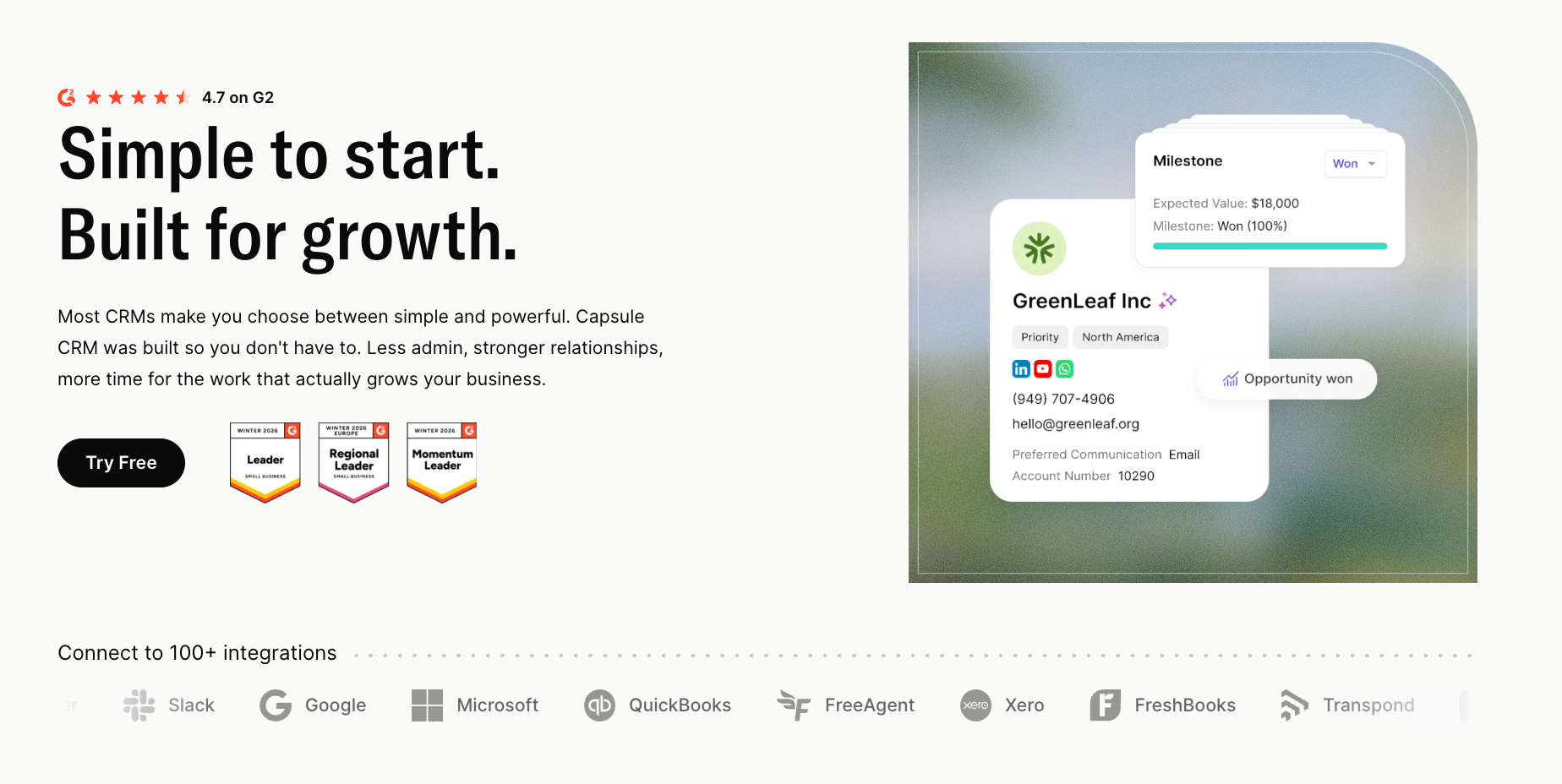
Companies succeed with Capsule for legal intake when they treat it as a structured contact and pipeline tool, then layer in light processes around it. Going in with the expectation that Capsule will behave like Clio Grow leads to disappointment. Going in looking for a relationship engine on top of an existing workflow usually leads to a good fit.
Contact management with full timeline visibility
Capsule's contact management gives every prospect and referral source a single structured record with full timeline visibility. When a prospect reaches out for the second time, eighteen months after an initial consultation that didn't convert, the firm sees the original notes, the proposal that was sent, and the reason the prospect didn't move forward. That context turns a cold call back into a warm conversation.
Custom fields for legal intake data
For intake specifically, custom fields carry the data points that shape a legal intake:
- Practice area and matter type.
- Referral source and anticipated fee range.
- Conflict status notes against the prospect record.
The firm builds the fields to match its own intake form, so the structured data going into the CRM is the structured data the firm already collects.
Pipelines for prospect-to-retainer tracking
Pipelines handle the movement of a prospect from first contact to retainer. A typical small firm intake pipeline runs from inquiry received through to retainer signed, with named stages in between. Each prospect appears in one stage. Each stage has its own follow-up cadence. The company can look at the whole pipeline on a Monday morning and see exactly where every active prospect is.
Tracks for automated intake sequences
Tracks automate the parts of intake that fall through the cracks when someone's busy. When a new consultation is logged, a track fires a chain of tasks. The lawyer or office manager isn't relying on memory – the system runs the sequence.
Tasks with assigned owners and deadlines
Tasks are attached to every contact record with assigned owners and deadlines. For a one-person practice, the assignment is obvious. For a three- or five-lawyer firm, task assignment is where intake either works or breaks. Capsule makes it visible who owns what, and what's overdue.
AI Content Assistant for client-facing emails
The AI Content Assistant handles the writing work that intake generates. Fee proposals and post-consultation follow-ups both need drafting. Pulling them from a contact record that already holds the matter context is faster than starting from scratch in an inbox.
Reporting for intake performance
Capsule's reporting answers the questions that drive intake improvement over time. Which referral source actually converts? Where do prospects stall in the pipeline? How long does the average intake take from first contact to signed retainer? A small firm running intake on guesswork has no idea where to spend its marketing budget.
Accounting integrations for the post-intake handover
Integrations with Xero and QuickBooks close the loop on the financial side. Once the retainer is signed and payment is logged in the accounting system, the matter opens. Capsule holds the relationship context; the accounting tool handles invoicing and trust accounting.
Where Capsule needs a partner tool
Capsule doesn't do conflict checks for the firm. The firm has to run the check itself, using either a dedicated conflict-check tool or a manual process against the contact database. For small firms with a manageable client list, the manual process is fine. For firms approaching three hundred or more active and former clients, a dedicated conflict tool starts to make sense.
Pricing: Free plan for up to two users and 250 contacts. Starter from $18/user/month. AI features from $36/user/month.
Try Capsule free for 14 days, no credit card required.
Other client intake software for legal firms
Capsule fits a particular shape of firm: small, growth-minded, comfortable, building light processes around a flexible tool, and not in a hurry to consolidate everything into one heavy platform. Other firms have different needs.
Three alternatives are worth knowing well.
Clio Grow
Clio Grow is purpose-built for legal intake.

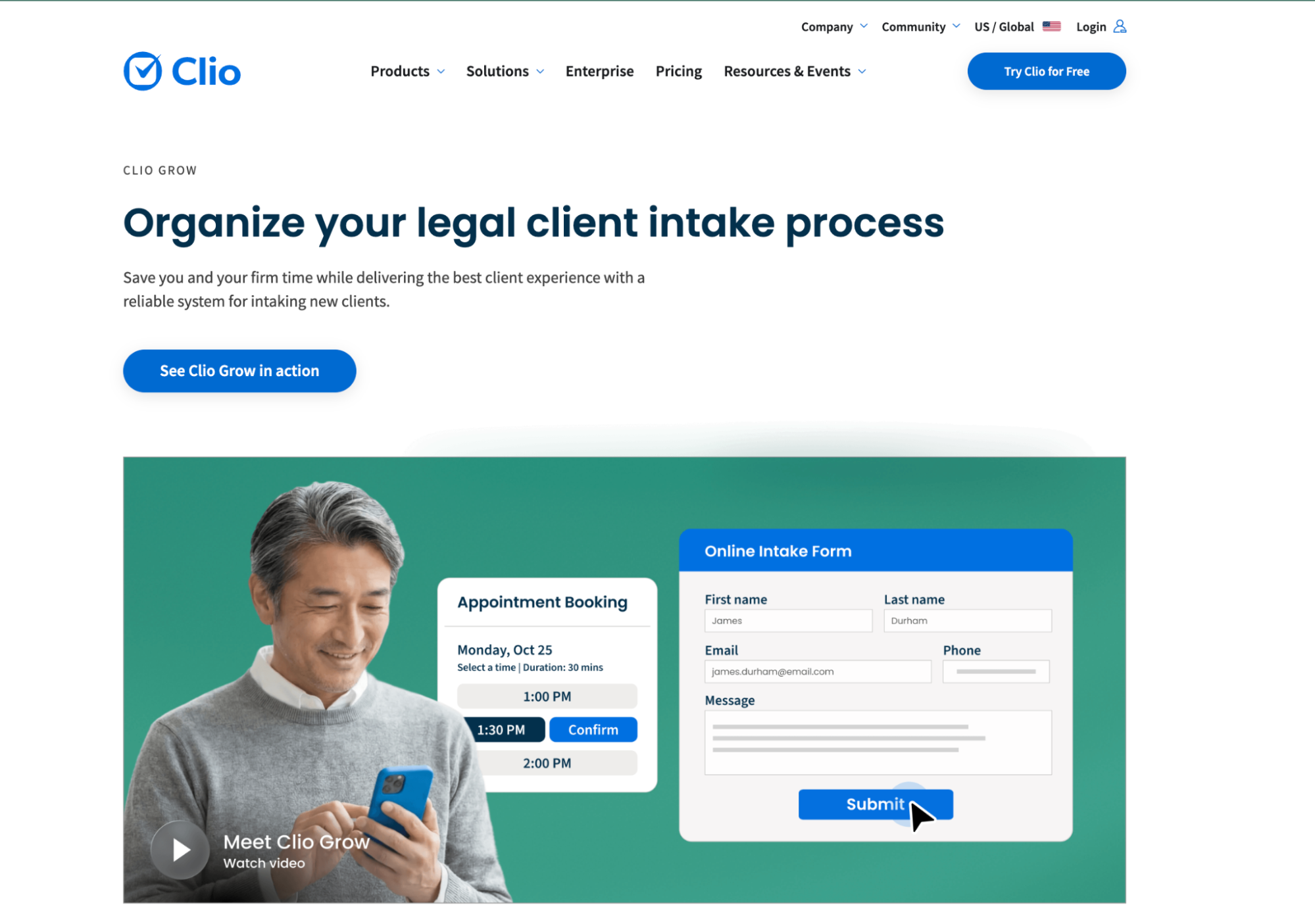
Built-in conflict checks, document automation for engagement letters, and online intake forms that integrate with Clio's calendar. For firms already running Clio Manage for matter management and billing, Grow is the cleanest path.
The trade-off is ecosystem lock-in and price. Grow's value compounds inside the Clio stack and is much weaker as a standalone. Companies that want best-in-class tools across categories tend to find the bundle limiting. Firms already on Clio find Grow the obvious choice.
Pricing: From $49/user/month, often bundled with Clio Manage.
Lawmatics
Lawmatics is the most marketing-aware option in legal-specific CRM.


The platform handles multi-touch lead nurture, drip campaigns for slow-converting prospects, and automated follow-up sequences after consultations. For practice areas where leads take weeks or months to convert, like estate planning or immigration, Lawmatics builds a nurture infrastructure that small firms otherwise can't run.
The downside is configuration time. Lawmatics is highly customizable, and the customization is the work. Solo attorneys who want a system running by the end of the day will find the onboarding heavier than expected.
Pricing: From $149/month, billed per firm.
MyCase
MyCase consolidates CRM and matter management into one platform, with billing and client portals built in.

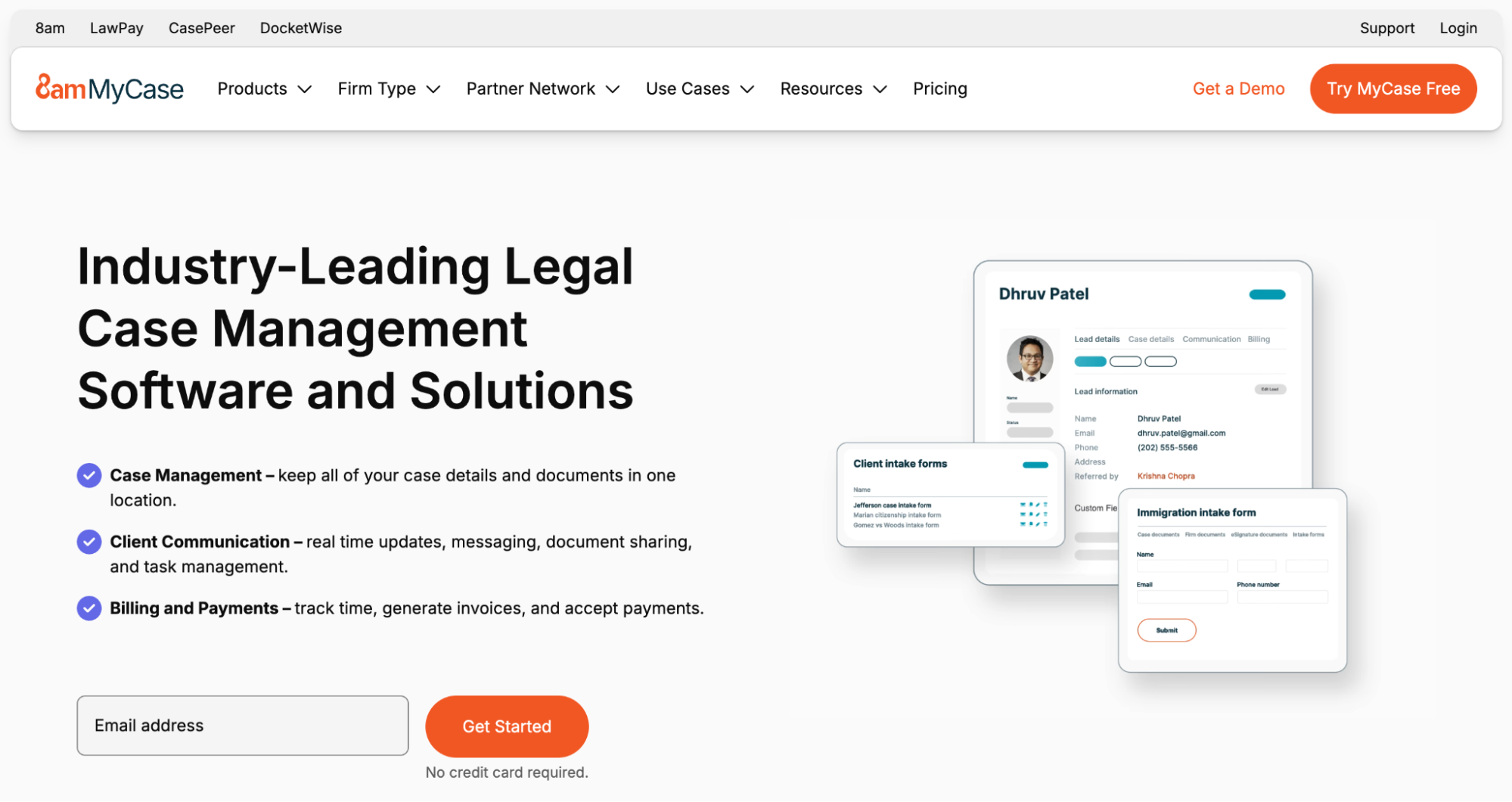
The intake module handles lead capture and conversion to matter status. The appeal is a consolidation, with no separate CRM and no separate billing tool to integrate.
The cost of that simplicity is depth. The CRM features are functional but limited compared to a dedicated tool. Firms that grow into sophisticated business development workflows tend to outgrow MyCase on the CRM side while remaining happy with the matter-management side.
Pricing: From $39/user/month for the Basic plan.
How to design a legal client intake workflow
Choosing a tool is the easy part; designing the workflow that runs on top of it is where most small firms get stuck. A workable starting structure for a one-to-five-lawyer firm looks something like this:
Stage 1: Single intake form on the website
All new inquiries route through one form, even prospects who reached out by phone first. The form captures the basics, including practice area and a brief matter description. It submits directly into the CRM, creating a new contact and starting the intake pipeline.
Stage 2: Conflict check within the first business day
Before any substantive contact, someone runs the conflict check against current and former clients. If the check is clear, the prospect moves to "ready to schedule." If not, the firm sends a polite decline.
Stage 3: Consultation scheduled within three business days
The longer the gap between inquiry and consultation, the lower the conversion rate. Three business days is a reasonable upper bound for a firm that isn't running same-day consultations.
Stage 4: Pre-consultation intake form sent before the appointment
A more detailed form goes out 24 to 48 hours before the consultation, capturing the matter background and the prospect's goals, with space for prior counsel and timeline notes. The lawyer arrives at the consultation prepared, not doing intake during the meeting.
Stage 5: Fee proposal sent within twenty-four hours of the consultation
Speed matters here. A prospect leaving a consultation with a clear sense of the firm's value, followed by a written proposal the next morning, converts at meaningfully higher rates than one waiting a week for a proposal to arrive.
Stage 6: Retainer transmitted with the proposal or shortly after
The retainer agreement should follow on the heels of the proposal, with a clear next step for signing and payment. Friction at this stage, like long delays between proposal acceptance and retainer arrival, costs conversions.
Stage 7: Matter opened the day payment clears
Once the retainer is signed and the deposit lands, the matter opens in whatever practice management or billing system the firm uses. The CRM record carries forward as the relationship record.
This is one workable structure. Different practice areas will adjust the cadence: a personal injury firm may run consultations faster, while an estate planning firm may run them more deliberately. The structure of named stages with timing standards is what makes intake measurable.
Key metrics for legal intake performance
A small firm running intake through a CRM gains the ability to ask questions it couldn't ask before. The interesting ones are usually about where the process leaks.
Conversion rate from inquiry to consultation
If the firm gets one hundred inquiries a month and only forty become consultations, something is wrong upstream, likely response time or qualification.
Conversion rate from consultation to retainer
If only thirty percent of consultations convert, the question is if the consultation itself is converting badly or the fee proposal is mispriced.
Time from inquiry to signed retainer
A firm that takes twenty-one days on average has a slower process than a firm that takes seven. The shorter cycle usually converts better.
Referral source quality
Not all referral sources are equal. Referral source reporting shows which channels send tire-kickers and which send signed retainers within a week. A firm that measures this can shift its referral relationship work toward the sources that actually produce.
These four metrics are the difference between running intake on instinct and running it on evidence. The CRM is what makes the measurement possible, with no need to dedicate someone full-time to spreadsheets.
Choosing a legal CRM: all-in-one vs best-in-class
The choice for a small legal firm comes down to a single question.
Does the firm want one platform that handles intake and matter management under a single login, or does it want a best-in-class CRM that handles relationships and pipelines while other tools handle the rest?
Firms that want the all-in-one path tend toward MyCase, Clio (Manage plus Grow), or Lawmatics. The trade-off is depth. These tools do many things adequately, not one thing brilliantly.
Firms that want best-in-class on the CRM side tend toward Capsule, paired with separate tools for billing and matter management. The trade-off is integration work. The firm has to think about how the tools talk to each other.
There's no objectively correct answer. The right path depends on how the firm prefers to work and where its current bottlenecks actually live.
What both paths share: intake starts being a system. The phone call on Tuesday afternoon gets a response by Wednesday morning, every time, regardless of who is in the office.
And that consistency is what converts.